


TL;DR
Multi-document PDFs are a major bottleneck in document automation. These files often contain multiple documents or sections within a single PDF, which makes it difficult to apply extraction reliably. As a result, teams are forced to manually review and split PDFs before processing, or they end up running extraction on the wrong pages, applying incorrect schemas, and wasting time and compute on irrelevant content.
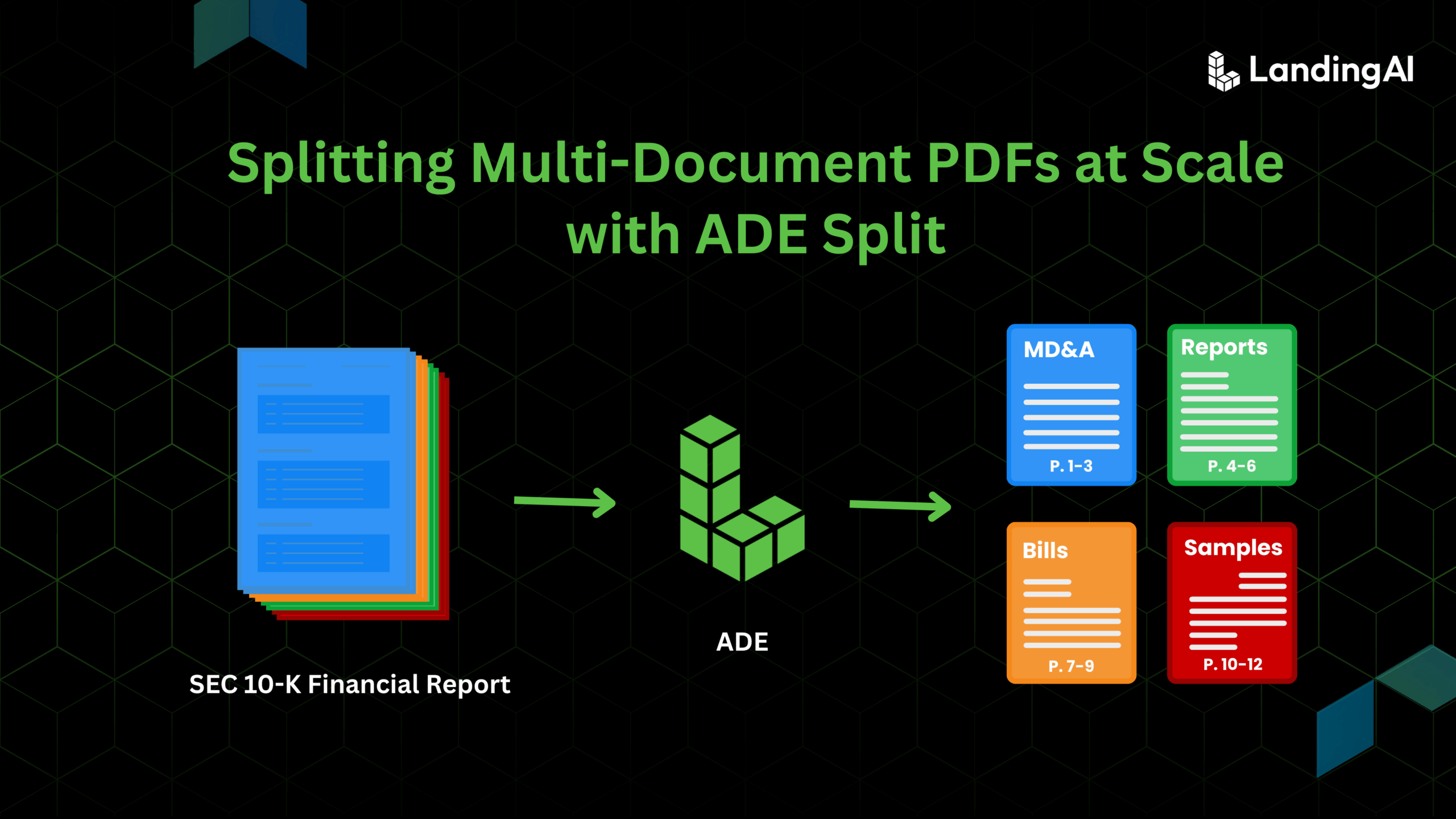
ADE Split addresses this problem by operating on parsed documents using user-defined Split Rules. Users specify how a file should be separated by defining document types, descriptions, and optional identifiers. Based on these rules, Split identifies document boundaries within a single PDF, groups related pages into well-defined sub-documents, applies document classifications, and preserves page ranges and metadata for full traceability. The original PDF is never modified; instead, Split returns clean, structured JSON that defines exactly how the file is separated.
In the ADE workflow, Split sits between parsing and extraction. It ensures that extraction runs only on the right pages, with the right schema, and for the right document type. This makes downstream extraction more accurate, more cost-efficient, and easier to scale across large, noisy, real-world document bundles.
Introduction
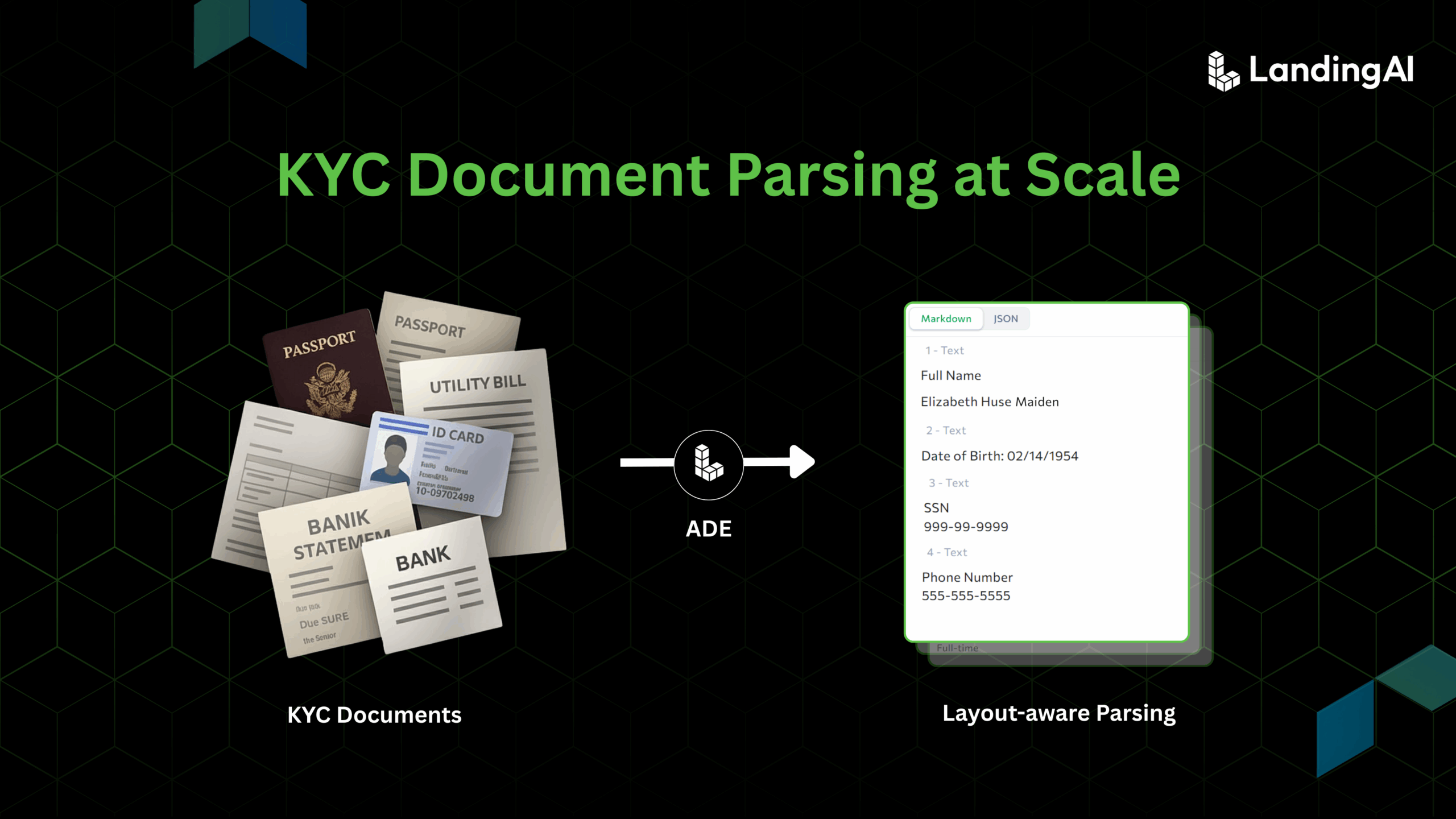
In many real-world workflows, PDFs do not represent a single, clean document. Financial institutions receive KYC (Know Your Customer) packets that bundle bank statements, utility bills, and identity cards into one file. Healthcare systems ingest patient records that mix intake forms, lab reports, and treatment notes. Legal and accounting teams process packets that contain contracts, invoices, receipts, and supporting exhibits, often scanned and assembled in an inconsistent order.
These bundled PDFs create a structural problem for document automation. While traditional extraction tools can read text, they treat the file as a flat sequence of pages. They cannot reliably determine where one document ends and another begins, or which pages belong to the same logical unit. As a result, teams either manually review and split files before processing or run extraction across the entire PDF and deal with misapplied schemas, incorrect outputs, and unnecessary downstream rework.
ADE Split is designed to address this failure point. It operates on parsed documents using user-defined Split Rules to identify document boundaries, group related pages, and classify each sub-document without modifying the original file. By turning a multi-document PDF into clean, well-defined document groups, Split enables correct routing, extraction, and downstream processing.
In this post, we’ll look at how Split addresses the structural challenges of multi-document PDFs and prepares them for accurate downstream extraction.
What the Split Feature Does
ADE Split operates on parsed documents and returns a structured definition of how a multi-document PDF should be separated. It does not modify the original file. Instead, it produces a machine-readable representation of document groupings that downstream workflows can consume directly.
Split performs the following core functions:
Identify document boundaries
Split uses defined Split Rules to determine where one document ends and another begins. These rules guide how parsed Markdown is analyzed to identify document boundaries, rather than relying on fixed templates or keyword matching.
Group pages into classified sub-documents
Pages that belong together are grouped into sub-documents and assigned a document classification. When multiple instances of the same document type appear in a single file, Split can apply optional identifiers such as invoice numbers, patient names, or dates to separate them correctly.
Return explicit page ranges and metadata
Each sub-document includes exact page ranges and associated metadata, preserving traceability to the original PDF and enabling deterministic downstream processing.
Handle unmatched content explicitly
Pages that do not match any defined document type are marked as Uncategorized, ensuring all content is accounted for.
Work across inconsistent and scanned inputs
Because Split operates on parsed structure rather than visual templates, it remains effective across scanned documents, repeated forms, and inconsistent layouts.
Workflow: From Input File to Extracted Data
ADE processes documents through a three-step workflow: Parse, Split, and Extract. After parsing, users can run Split to separate a document into multiple classified sub-documents. Extraction can then be applied selectively to each split as needed.
Step 1: Parse
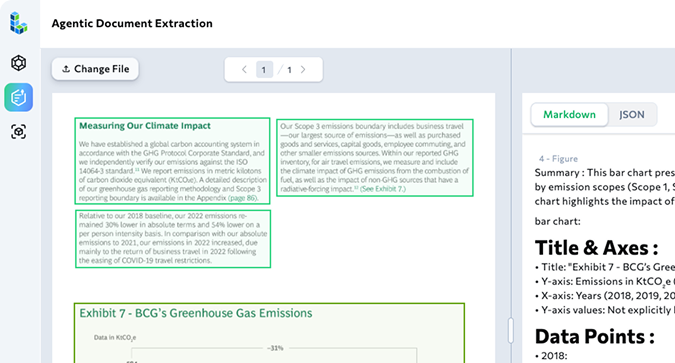
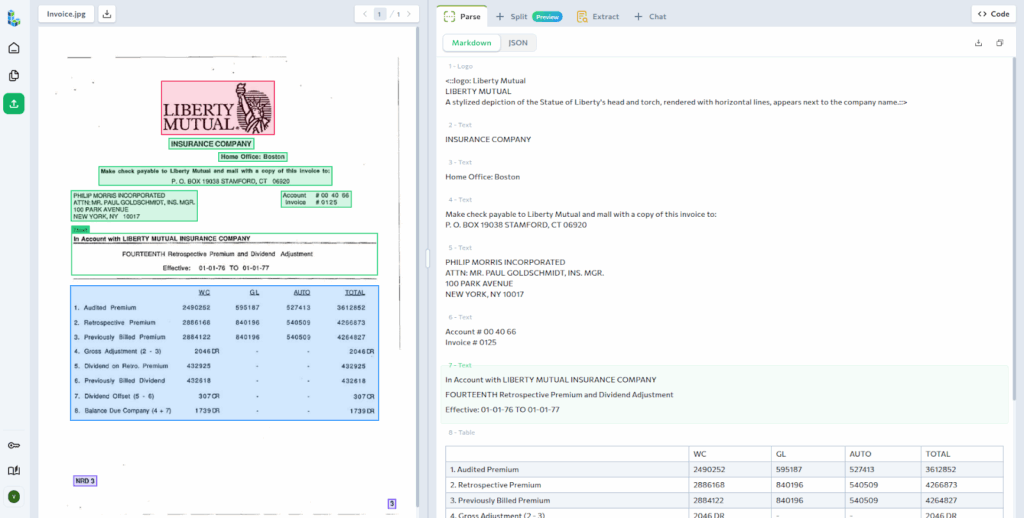
Parsing converts an input file into structured Markdown that preserves document layout and content.
The Parse API analyzes the document visually, identifying text, tables, and structural elements, and grounding them to their locations on the page.
The Markdown output from Parse is required input for the Split API and serves as the foundation for downstream processing.
Step 2: Split
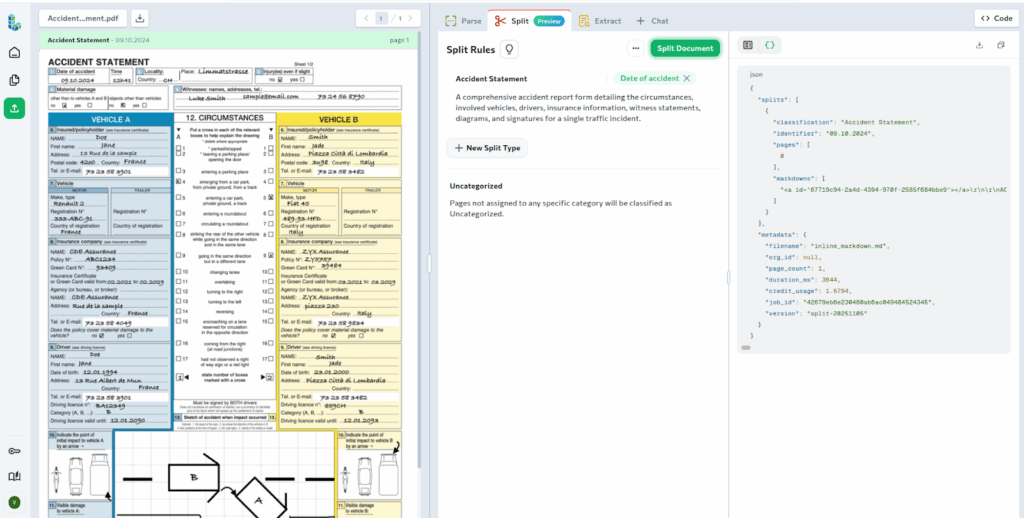
Split takes the parsed Markdown and separates it into multiple classified sub-documents.
This step is used when a file contains multiple document types or multiple instances of the same document type.
Before running Split, you define Split Rules. These rules specify the document types to classify. They can also include identifiers that distinguish multiple instances of the same document type. Each Split Rule includes a Split Type, an optional description, and an optional identifier.
When executed, the Split API returns a structured JSON response that includes:
- Each classified sub-document
- Optional identifiers for repeated document types
- Exact page ranges for every sub-document
- Full Markdown content for each split
Step 3: Extract
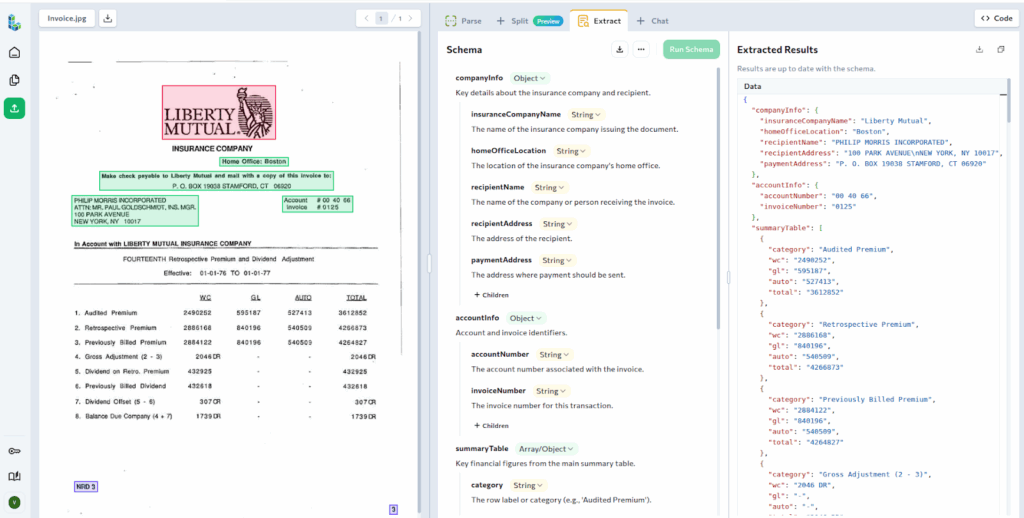
After a document has been split, the Extract API can be applied to each sub-document independently. This step is optional and not required in every workflow.
Extraction uses schemas to pull structured fields from the Markdown content returned by Split.
Because extraction runs only on the relevant pages for a given document type, schemas remain precise and extraction results are more reliable. For example, a single PDF containing a contract, an NDA, and a compliance form can be parsed once and split into three classified sub-documents. You can then run a different extraction schema on each sub-document.
Use Cases for Split
The following examples show how ADE Split is used in practice to separate batched documents into classified sub-documents.
1. Healthcare: Separating Patient Records into Clinical Sub-Documents
Healthcare organizations often ingest patient records as batched PDFs. A single file may include intake information, medical history, physical examination notes, and treatment plans, sometimes spanning multiple visits or sections. Each of these sections serves a different clinical purpose and is typically processed differently downstream.
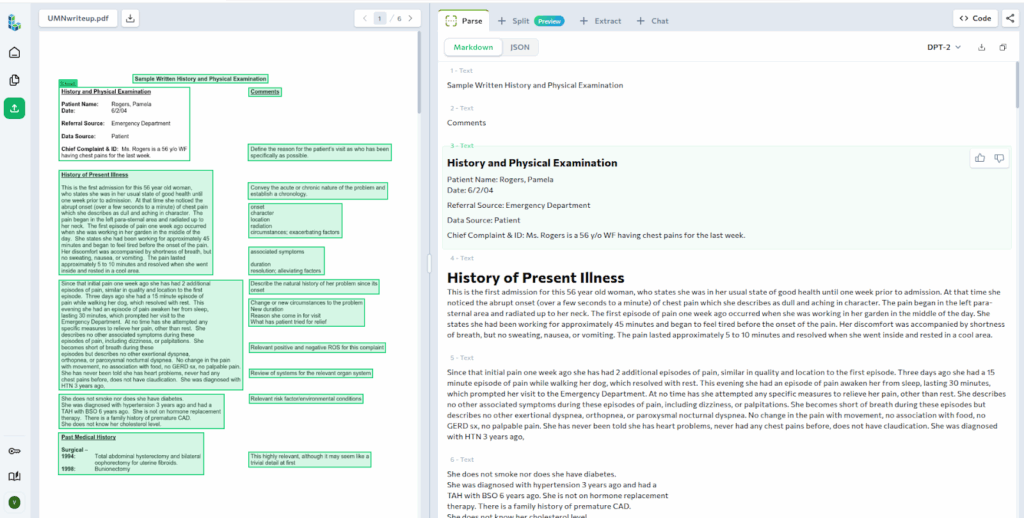
In this example, we start with a scanned patient medical record that has been uploaded and parsed in the ADE Playground. The parsed view shows the document as structured Markdown, with clear section headers such as History and Physical Examination and History of Present Illness, grounded to their original page locations.
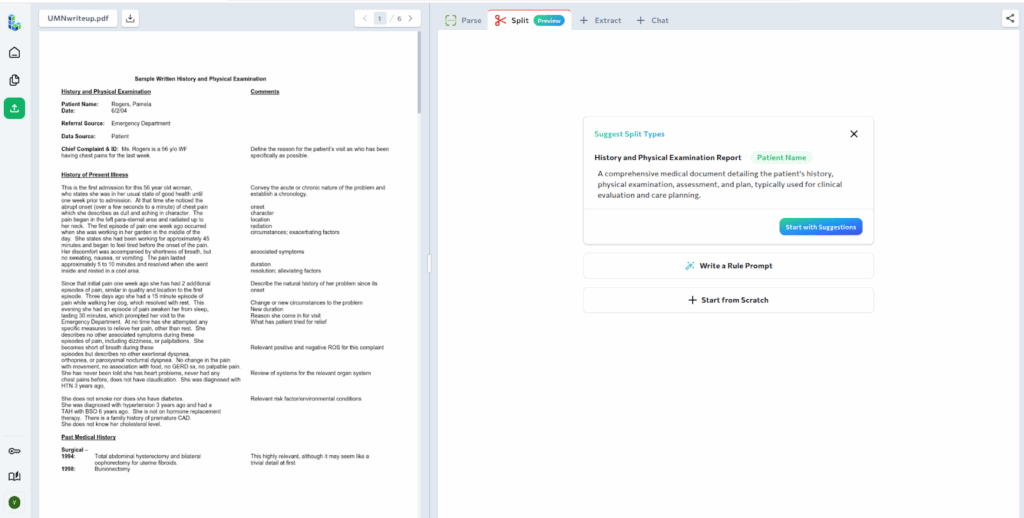
Next, we move to defining how this document should be split. ADE automatically suggests Split Rules based on the parsed content. In this case, the suggested Split Types align well with the structure of the record, so we will use them in this example.
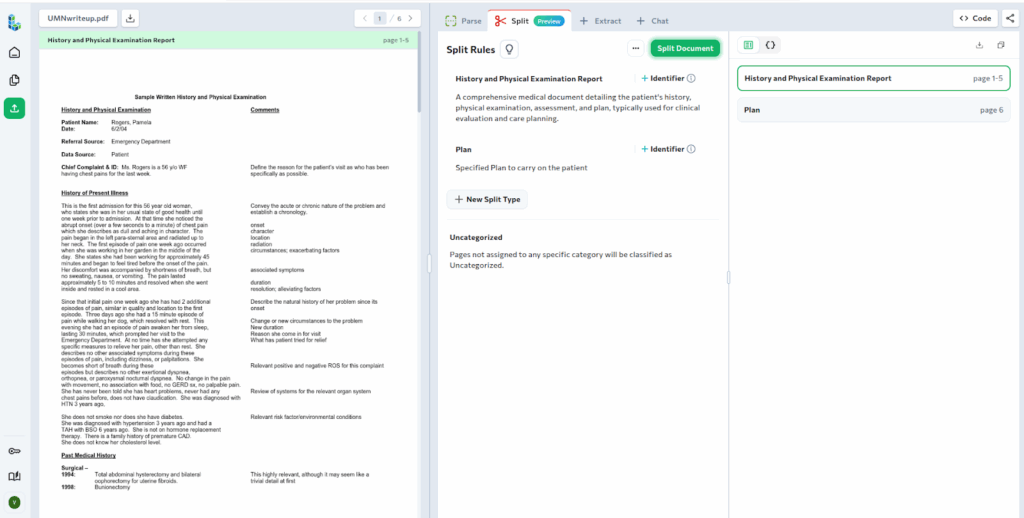
After running Split, the document is separated into two classified sub-documents. The first groups pages related to the patient’s medical history and physical examination. The second isolates the patient’s treatment plan.
By separating the treatment plan, it becomes easier to extract structured data specific to care instructions without mixing unrelated clinical information.
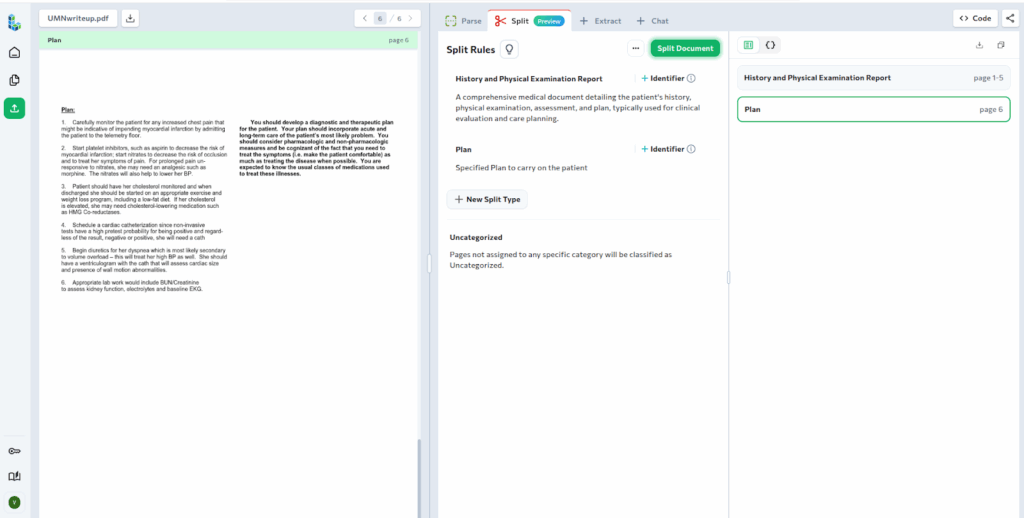
Each split includes the full Markdown content and exact page ranges, making it clear which pages belong to each clinical section. From here, downstream extraction can be applied independently to each sub-document using schemas tailored to the specific type of clinical information being processed.
2. Finance: Segmenting Multi-Section Regulatory Filings
Financial documents such as annual reports and 10-K filings, are typically delivered as long, multi-section PDFs. While published as a single file, these documents contain distinct sections that are reviewed, analyzed, and routed independently by different teams.
In this example, we start with a multi-page 10-K filing from Apple Inc. The first step in splitting the document on the Playground is simply to upload it and run Parse.
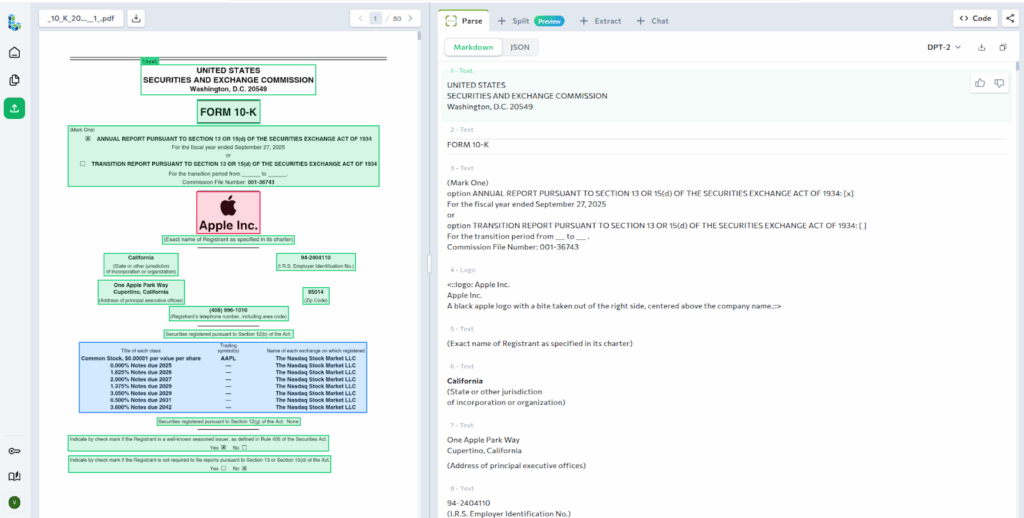
Next, we define how the filing should be split. Based on the parsed structure, ADE suggests Split Types that match the major sections of a standard 10-K. These suggested rules align with the expected layout of the document, so we use them as-is.
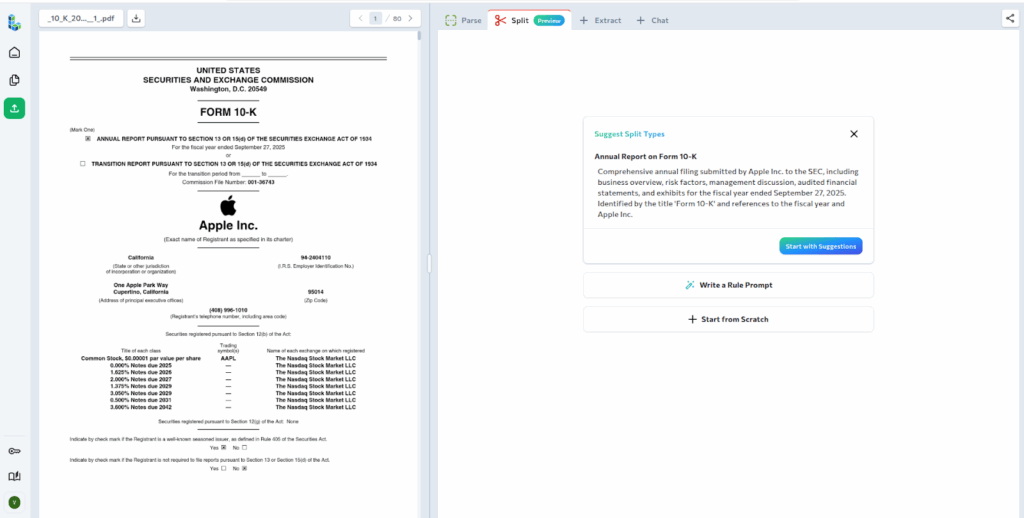
After running Split, the filing is classified into four different sub-documents. Each sub-document corresponds to a specific section of the report and includes the exact page range in the original PDF. Pages that do not clearly match any Split Type are returned under Uncategorized.
Finally, each section can be processed independently. Teams can extract data only from the sections they care about, such as financial statements or disclosures, while skipping unrelated content. The resulting JSON output can be copied directly for downstream extraction or analysis.
3. Human Resources: Structuring Employee Onboarding Packets
HR teams frequently receive and generate onboarding packets that contain dozens of pages. Split identifies the key document types within these packets and separates them accordingly. Below is a practical example of this use case.
Here, we have an employee onboarding document that contains the essential information needed to help a new employee get onboarded into the organisation.
As usual, the first step is to upload and parse the document in the Playground.
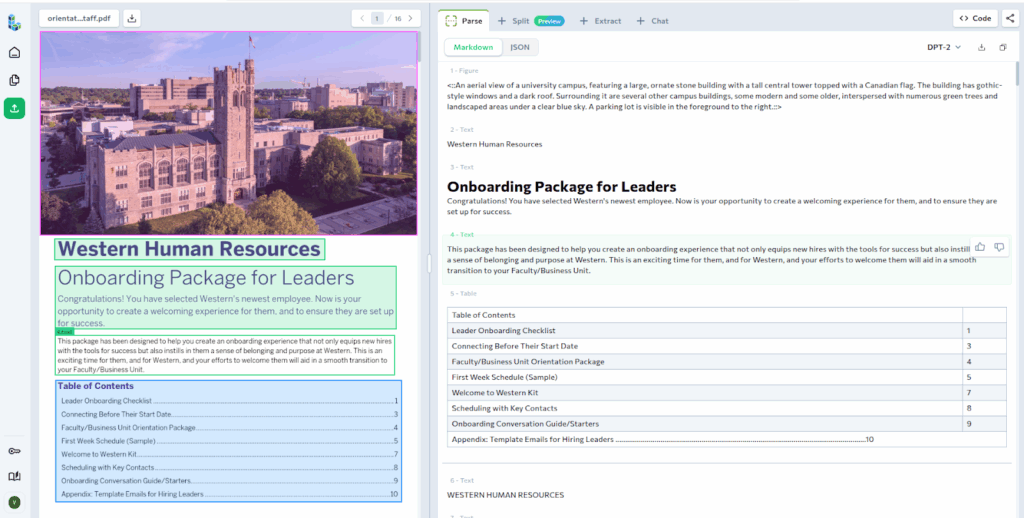
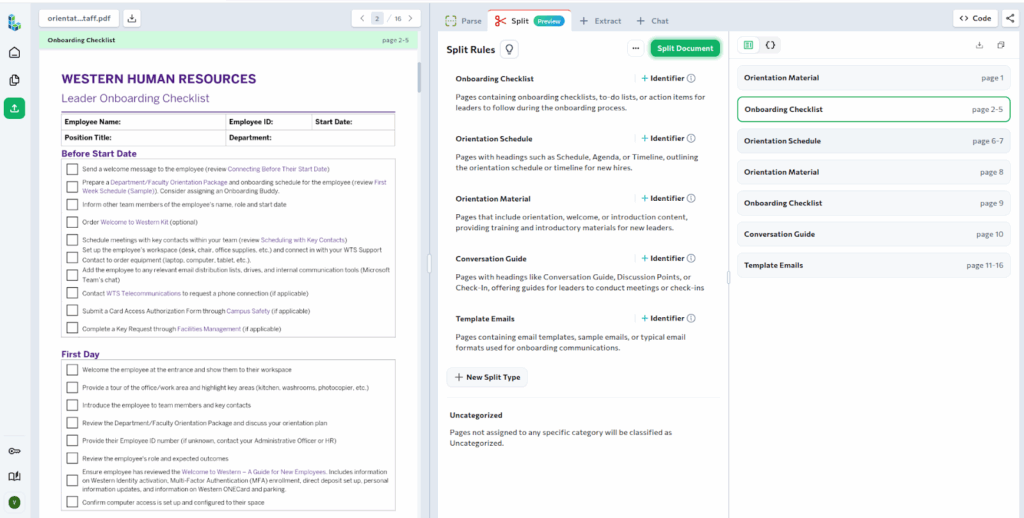
Next, instead of relying on suggested rules, we define custom Split Rules to reflect how HR teams typically work with these documents. Each Split Type is paired with a clear description to guide how pages should be classified.
Onboarding Checklist: Pages containing task-based checklists used by leaders or managers to track onboarding progress. These pages typically include action items, checkboxes, or step-by-step tasks and should exclude schedules or training content.
Orientation Schedule: Pages that define timelines, agendas, or schedules for onboarding activities. These pages usually include dates, times, or ordered sessions and should not include instructional or checklist content.
Orientation Material: Pages that introduce the organization, team, or role. This includes welcome messages, introductory content, and training overviews, but excludes task checklists and scheduling information.
Conversation Guide: Pages designed to support structured conversations or check-ins between managers and new hires. These pages typically include discussion prompts, questions, or meeting guidance rather than operational tasks.
Template Emails:Pages containing reusable email templates or sample communications intended for onboarding. These pages usually follow standard email formats and are meant to be copied or reused as-is.
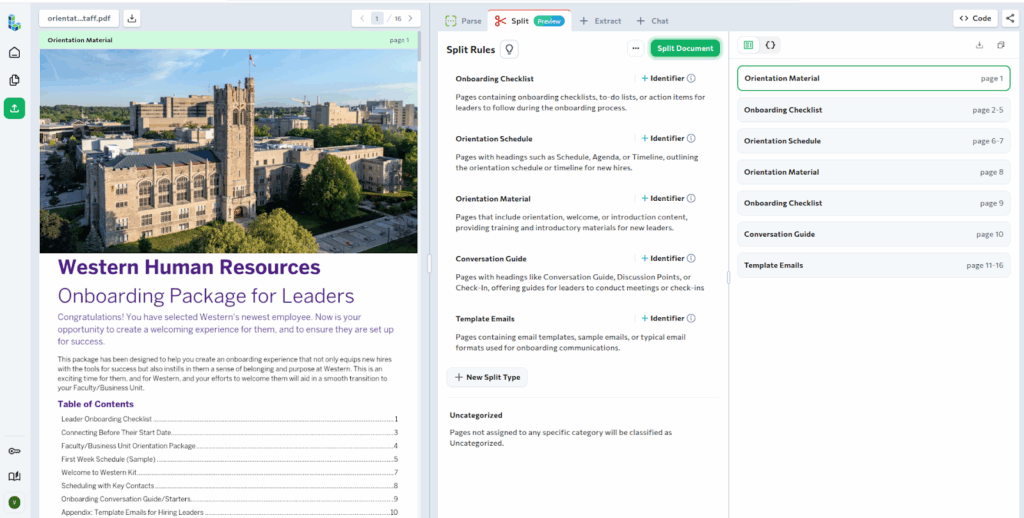
With these rules in place, Split classifies the onboarding packet into multiple sub-documents. Each sub-document groups pages that serve a specific purpose and includes the exact page ranges and full Markdown content.
For example, the onboarding checklist pages are grouped into a single sub-document, separate from orientation materials and schedules. From here, extraction can be applied selectively, such as pulling task items from the checklist or routing schedules and materials to different systems.
Using ADE Split via the API
Once you’ve validated your Split Rules in the Playground, the same workflow can be applied programmatically. ADE Split is designed to fit directly into existing pipelines and operates on the Markdown output produced by the Parse API.
The workflow is straightforward: parse the document, define how it should be split, and run the Split API. Let’s see how to do this using the ADE Python library.
Step 1: Install and Configure
First, install the library and set your ADE API key.
pip install landingai-ade
export VISION_AGENT_API_KEY=<your-api-key>
Step 2: Parse the document
from pathlib import Path
from landingai_ade import LandingAIADE

client = LandingAIADE()

parse_response = client.parse(
    document=Path("<path-to-your-pdf-file>"),
    model="dpt-2-latest"
)

markdown = parse_response.markdown
Step 3: Define Split Rules
Next, define how the parsed document should be split. Descriptions guide classification, while identifiers ensure repeated documents are split correctly.
split_rules = [
    {
        "name": "<document-type-1>",
        "description": "<clear-description-of-what-this-document-type-is>"
    },
    {
        "name": "<document-type-2>",
        "description": "<clear-description-of-what-this-document-type-is>",
        "identifier": "<optional-unique-field-or-text-pattern>"
    }
]
Step 3: Run the Split API
With the rules defined, run the Split API against the parsed Markdown.
split_response = client.split(
    split_class=split_rules,
    markdown=parse_response.markdown,
    model="split-latest"
)

# Access the splits
for split in split_response.splits:
    print(f"Classification: {split.classification}")
    print(f"Identifier: {split.identifier}")
    print(f"Pages: {split.pages}")
From here, each sub-document can be processed independently, including passing the Markdown directly into the Extract API with a schema tailored to that document type.
Conclusion
ADE Split ensures that extraction runs on the right pages, with the right schema, and for the right document type. By separating a parsed PDF into classified sub-documents with explicit page ranges, Split avoids misapplied extraction and unnecessary processing on irrelevant content.
This makes downstream workflows more accurate and more cost-efficient, especially at scale. Whether working with KYC bundles, patient records, regulatory filings, or onboarding packets, Split provides a reliable way to prepare multi-document PDFs for extraction without manual intervention.
Ready to see Split in action?
Try ADE Split in the Playground with your own multi-page documents, and refer to the documentation for more details.