
TL;DR Most teams generate a schema from one invoice and assume it will generalize. It usually does not. The Schema building API (ADE Build Extract Schema API) takes a different approach: use representative invoices plus a prompt to build, edit, and update a master schema that holds up across suppliers — regardless of how each one formats and structures their documents.
Why Single-Invoice Schemas Break
Take a basic accounts-payable workflow.
The unit of measure might appear as EA (meaning "each" or individual items), UM (a generic column header that different suppliers use to label whatever unit applies: hours, pieces, boxes, etc.), or only be implied by the table structure. The field vendor_tax_id can show up as "EIN", "VAT number", "ABN", "GST number", "RFC". A schema generated from one supplier invoice often misses data in invoices from other suppliers because it was never built on the full spectrum of real-world variations.
One Endpoint, Three Core Inputs
The ADE Build Extract Schema API accepts a combination of inputs:
| Input | Why it matters |
|---|---|
| The Markdown output of parsed documents | Show the API how fields are actually represented across your invoice set |
| Prompt | Steer the schema toward the fields and structure you care about |
| Existing schema | Refine a schema you already have instead of starting from scratch |
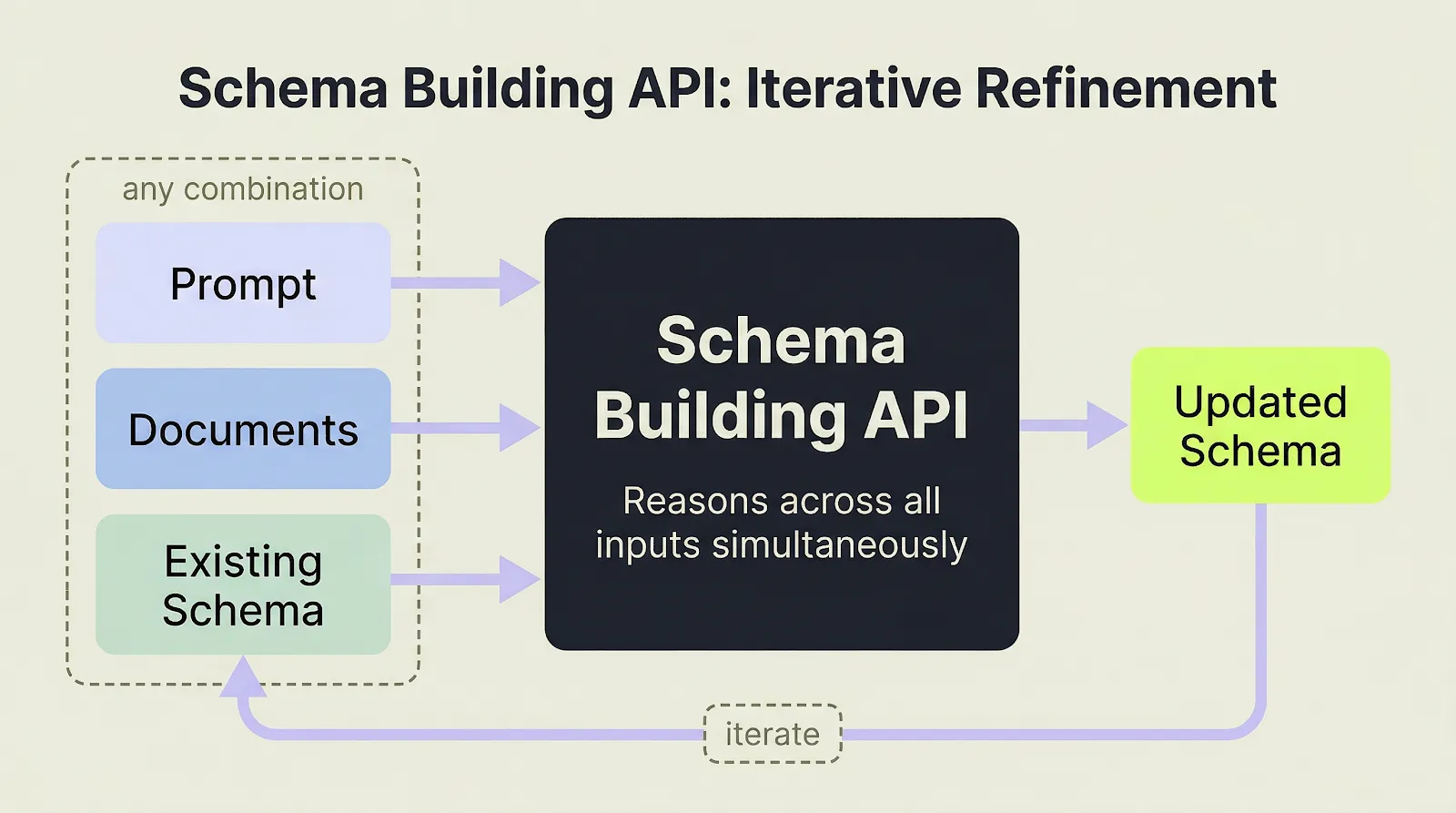
The ADE Build Extract Schema API accepts any combination of prompt, documents, and existing schema, then iterates toward an updated master schema.
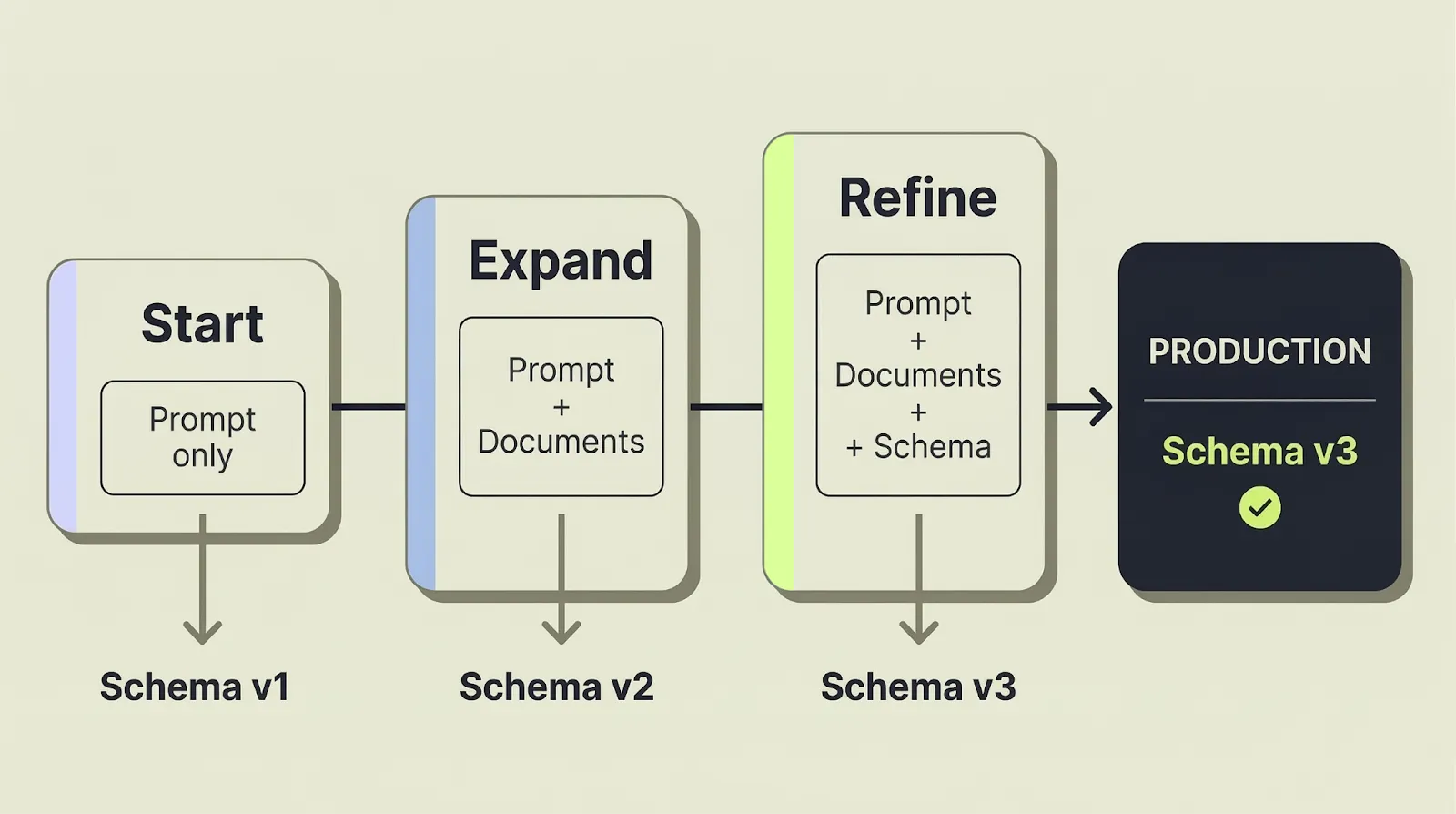
That editability matters because schema work is rarely a one-shot exercise. Sometimes you start with documents only. Sometimes you already know the fields you need. Sometimes you have an existing schema and need to extend it rather than throw it away.
A typical starting call for building a master schema from multiple invoices looks like this:
curl -X POST 'https://api.va.landing.ai/v1/ade/extract/build-schema' \
  -H 'Authorization: Bearer YOUR_API_KEY' \
  -F 'markdowns=@supplier_a_invoice.md' \
  -F 'markdowns=@supplier_b_invoice.md' \
  -F 'markdowns=@supplier_c_invoice.md' \
  -F 'prompt=Generate a master invoice schema including vendor details, invoice totals, line items, quantity, unit of measure, and payment fields'
Edit the Schema With Prompts
Generating the first schema is only the start. Real schema work usually becomes iterative within the first review cycle.
The ADE Build Extract Schema API supports prompt-based schema editing for exactly that loop. Pass the existing schema back in, describe what should change, and use a few representative invoices when the new field is expressed differently across suppliers. The result is a revised schema that stays grounded in the same invoice distribution instead of drifting into ad hoc prompt logic.
For example, say you're processing invoices across 30 suppliers in an accounts payable workflow. You start by describing what you need:
"For each invoice, extract the vendor name, invoice number, line items with quantities and unit prices, payment terms, and tax breakdown by jurisdiction."
The API generates a schema from that prompt. Then you refine it in plain language:
"Split the tax field into federal and state components. Add a boolean for whether early payment discount is offered, and capture the PO number if present."
The schema updates. No manual JSON editing. You iterate until the structure matches what your AP pipeline actually needs.
What to Include in the Schema
A useful schema needs more than field names.
In practice, the schema has to include enough semantic context to stay stable when documents vary:
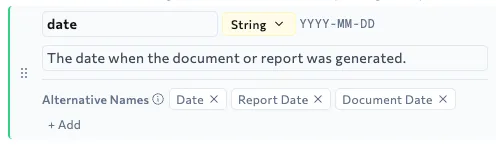
- Descriptions so the field means more than a literal label match. So
net_amountknows to exclude tax, fees, and restocking charges — not just match the closest label - Data types so downstream handling stays predictable
- Alternative names so
early_payment_discountcan match"2/10 Net 30"and"settlement discount"— terms that share no surface similarity with the field name - Formatting guidance so extracted values come back in a consistent form
That last point matters more than it looks. When invoice dates, amounts, and units come back in inconsistent formats, developers end up writing normalization code after the model. The ADE Build Extract Schema API pushes more of that expectation into the schema itself, closer to the document context where it is easier to enforce consistently.
Use New Documents to Catch Drift and Propose Updates
Supplier variation is one kind of problem. Supplier change over time is another.
An invoice template that worked last quarter may not work next quarter. A supplier can rename a field, split one column into two, or add a new charge section without warning. If the schema does not move with that change, extraction starts failing quietly.
This is where the same schema building workflow becomes a maintenance tool. Feed the new invoices, the existing schema, and a prompt into the API. The system returns a revised schema. That gives developers a cleaner loop for handling drift than manually diffing raw JSON or discovering a break later in downstream validation.
Why This Matters for Enterprise Developers
For enterprise developers, the payoff is straightforward:
- Less schema churn as supplier formats change
- Faster schema edits when a prompt can describe the change directly
- Clearer schema lifecycle when revisions are kept as versions
- Less downstream cleanup when formatting is specified up front
- Easier migration if you already have a schema
In other words, the problem is not just reading one invoice. It is keeping the extraction contract stable as the invoice set grows.
How to Start
For the end-to-end invoice walkthrough, see Introducing the ADE Extract API.
Do not start with the cleanest invoice in the set. Start with a small batch that reflects the actual supplier variation you expect in production.
Generate your first schema. Inspect the alternative names, descriptions, field types, and formatting guidance. Then add the invoice that currently causes the most manual cleanup and iterate from there. That is the loop that tells you whether the schema will hold up in production.
Once that works, test one change event, not just one happy path. Use a newer supplier revision, prompt-edit the existing schema, and review the updated version. That tells you whether the workflow can survive drift, not just generate a nice first draft.
The main shift is simple: schema definition stops being a brittle prerequisite and becomes part of the extraction development loop.
- Try the Playground: Generate and inspect a schema against a small invoice set.
- Read the API docs: Full API reference for the ADE Build Extract Schema API