Invoice extraction that shows its work
Most companies process more invoices than any other document, and no two suppliers format them alike. One accounts payable inbox carries purchase invoices, credit notes, proforma invoices, utility bills and freight invoices. They arrive as native PDFs, scans, phone photographs and email attachments, in layouts that change without warning.
Reading a total is easy. The work is everything around it: a supplier you have never seen before, a line item table that runs across three pages, and an auditor who wants to know where a number came from six months later.
What makes invoices hard
Every supplier has a different layout
Template-based extraction needs one template per supplier. Every new vendor becomes onboarding work, and every redesign breaks what you already built. Across a long tail of suppliers, the maintenance outgrows the saving.
Line item tables break across pages
A multi-page invoice splits its line item table across sheets, repeating headers and carrying subtotals forward. To get every row, extraction has to recognise that the table continues. Read each page on its own and you get fragments.
Values need normalizing, but evidence needs the original
Dates, currencies and tax identifiers have to come out in one consistent machine-readable form to be useful downstream. An auditor still wants the string exactly as the supplier printed it. You need both, from the same run.
Parse, extract, verify
Parse
Parse turns the document into reading-order Markdown and a hierarchy of blocks (text, tables, figures), and grounds each block to its exact location on the page.
Extract
You define the fields in a JSON schema, and Extract returns their values in a consistent, structured format, each linked back to where it appears in the Markdown.
Verify
Each value links back to where it appears, down to the character range in the Markdown, and the page and bounding box in the source document, so every result can be verified.
One invoice, end to end
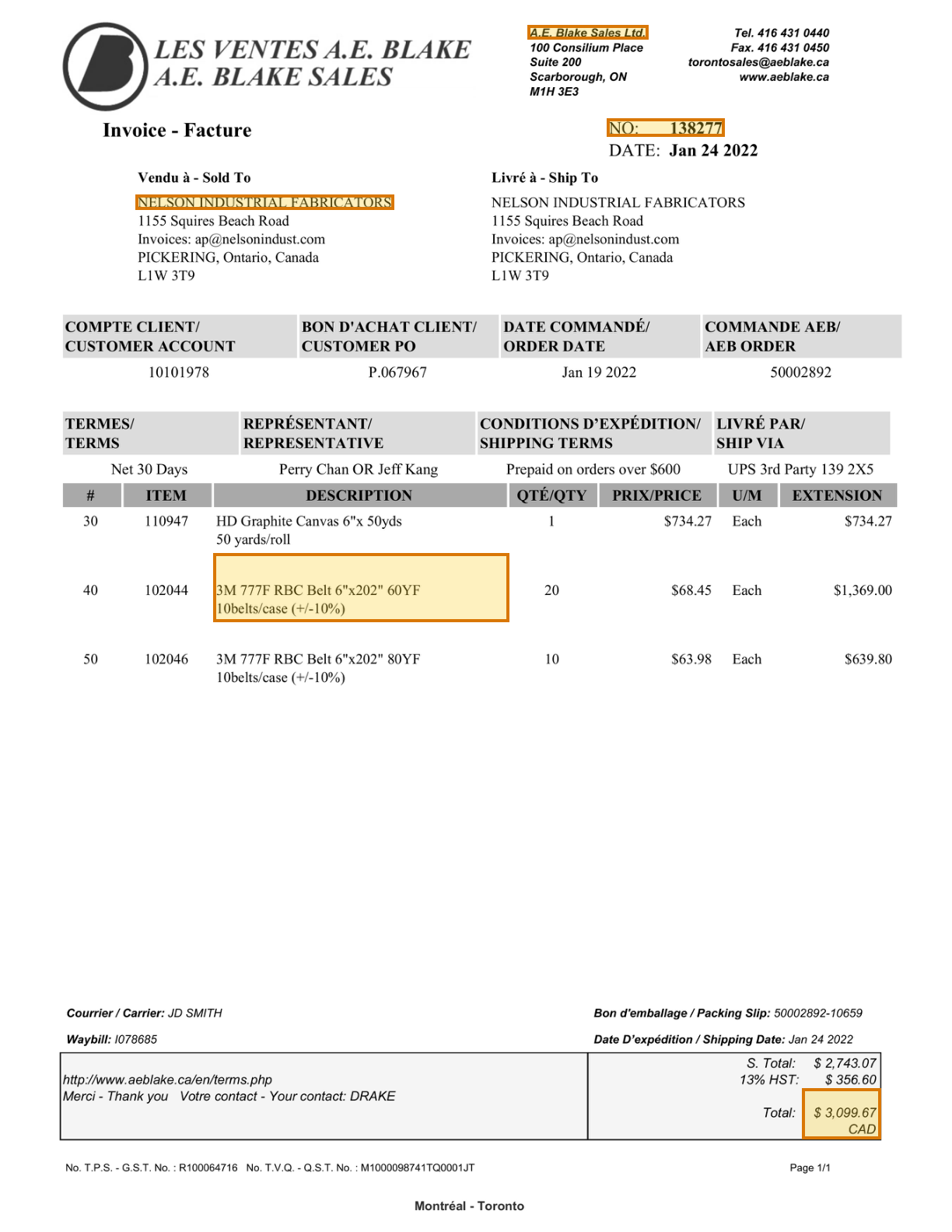
About this document: A single-page commercial invoice from A.E. Blake Sales, a Canadian industrial supplier. Five line items of abrasives and belting, a customer PO reference, order and ship dates, and a totals block with tax. The headings are bilingual: "Invoice - Facture", "Vendu à - Sold To". Ordinary for Canadian trade documents, and the sort of variation a template has to be rebuilt for.
Task overview: Pull the invoice identity, both parties, every line item and the amount due. These are the fields an accounts payable system needs to match an invoice to a purchase order and post it for payment.
Fields to extract: Invoice number, Supplier, Sold to, Line item description, Total due — 5 of 35 fields in the schema, all on page 1.
The document
1 page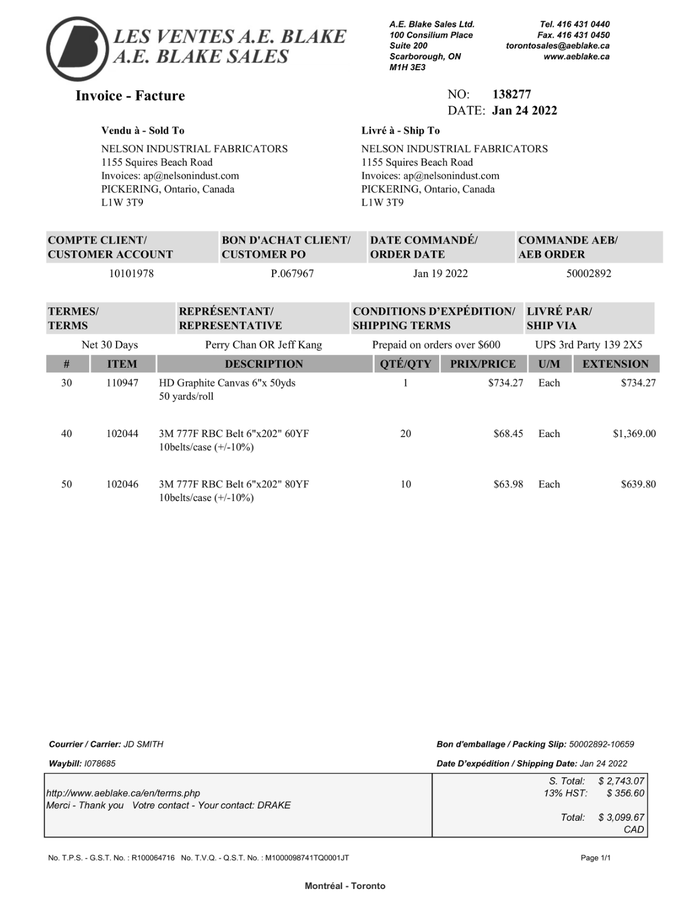 Page 1shown below
Where each value came from
Sample: Invoice 138277, A.E. Blake Sales Ltd.
invoice_info.invoice_number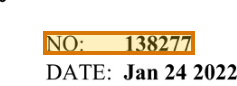
{
  "value": "138277",
  "page": 1,
  "range": {
    "end": 224,
    "start": 214
  },
  "box": {
    "xmin": 0.6374,
    "ymin": 0.09656,
    "xmax": 0.761,
    "ymax": 0.1111
  }
}company_info.supplier_name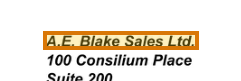
{
  "value": "A.E. Blake Sales Ltd.",
  "page": 1,
  "range": {
    "end": 82,
    "start": 61
  },
  "box": {
    "xmin": 0.55401,
    "ymin": 0.02066,
    "xmax": 0.68072,
    "ymax": 0.03196
  }
}customer_info.sold_to_name
{
  "value": "NELSON INDUSTRIAL FABRICATORS",
  "page": 1,
  "range": {
    "end": 291,
    "start": 262
  },
  "box": {
    "xmin": 0.14236,
    "ymin": 0.15809,
    "xmax": 0.41357,
    "ymax": 0.17021
  }
}line_items[1].description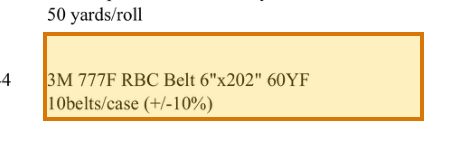
{
  "value": "3M 777F RBC Belt 6\"x202\" 60YF 10belts/case (±10%)",
  "page": 1,
  "range": {
    "end": 1447,
    "start": 1395
  },
  "box": {
    "xmin": 0.22401,
    "ymin": 0.44898,
    "xmax": 0.53445,
    "ymax": 0.50492
  }
}totals_summary.total_due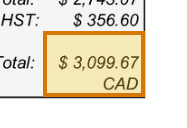
{
  "value": 3099.67,
  "page": 1,
  "range": {
    "end": 2054,
    "start": 2040
  },
  "box": {
    "xmin": 0.84299,
    "ymin": 0.88372,
    "xmax": 0.9256,
    "ymax": 0.92477
  }
}
How to try it yourself
Everything on this page is reproducible. The sample, its schema, and the Parse and Extract API outputs are published. You can repeat the same two calls from whichever surface you already build on.
- Claude Skilldescribe the job; the agent writes it
- CLIno code at all
- MCPexpose ADE docs as an agent tool
- REST APIany language
- Pythonlandingai-ade
- TypeScriptlandingai-ade
Documents into data
Accurate
The best accuracy on the difficult documents other tools get wrong, such as messy scans, complicated tables, checkboxes and handwriting.
Auditable
Every answer cites its sources. Values come back with an audit trail (page, bounding box, character range) so a human can review them.
Agentic
Applies multi-step reasoning, and plans before it acts. Handles documents it has never seen before and adapts to variations.
API-first
Composable APIs that drop into any tech stack and can be called from anywhere. Easy to build on and embed in your pipelines and products.
Affordable
Cost-competitive rates with complete price transparency. Spend controls before you run, and every job reports its exact cost.
Enterprise-grade
Built for production and scale from day one. Fully observable and monitored, running securely in our cloud or yours.
Built for high-volume, high-throughput production
- Zero data retention
- Priority rate limits
- Enhanced support
- VPC and on-prem deployment
Available on Team and Enterprise plans.