
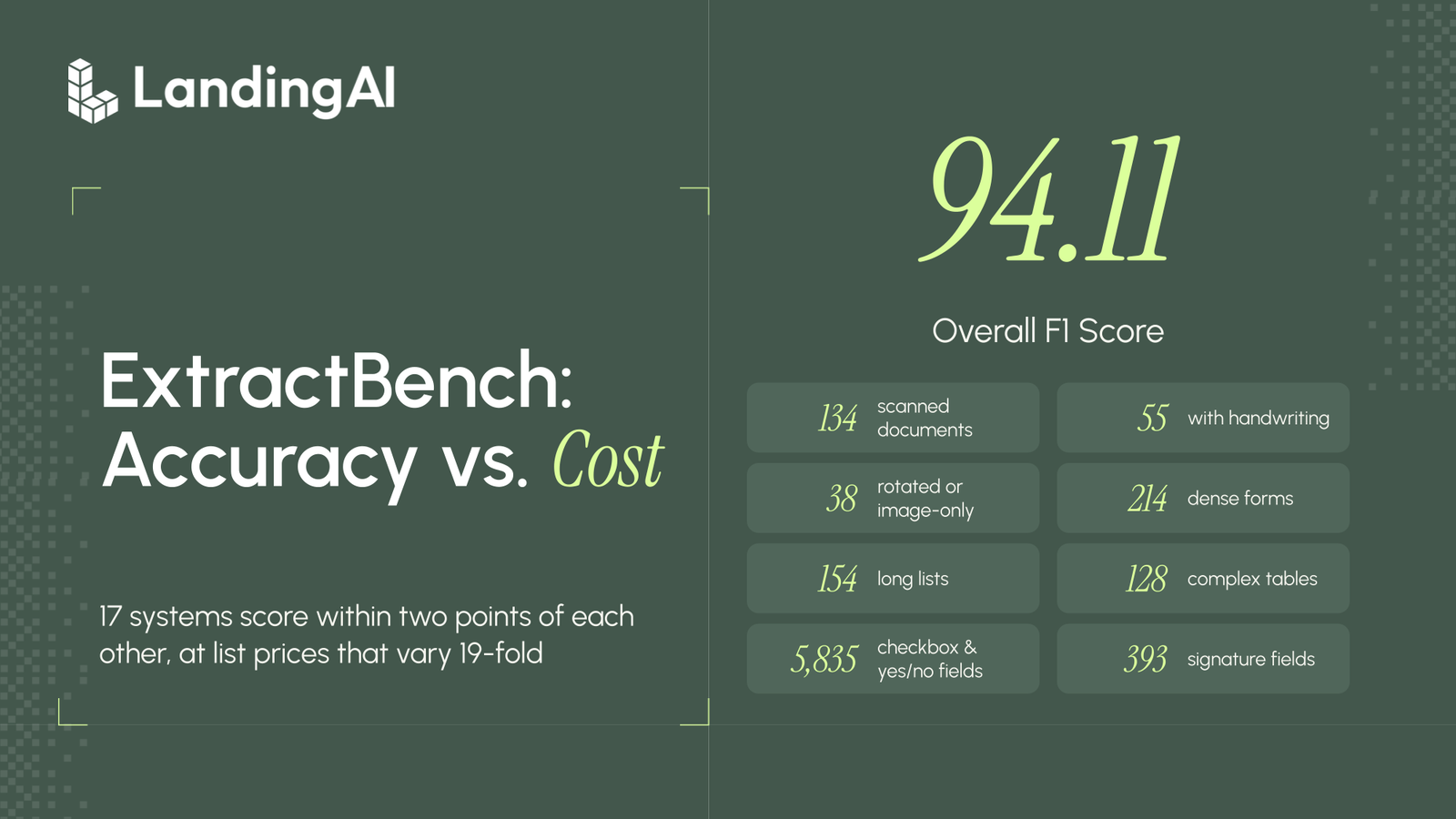
LandingAI Agentic Document Extraction with DPT-3 Pro scores 94.11 value F1 on ExtractBench, the document extraction benchmark from LlamaIndex. That makes us one of 17 systems within about two points of the top score. That cluster is the most important thing to know about the leaderboard, and this post is about what separates the systems inside it.
17 systems within 2.1 points, at a 19-fold range in cost
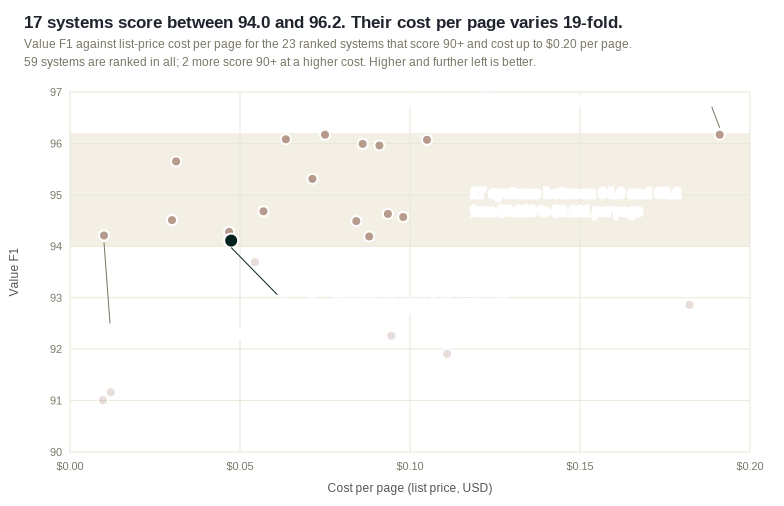
As of Nov. 20, 2026, 17 systems score between 94.0 and 96.2, including ours. It's a spread of 2.06 points on accuracy, but the list prices run from $0.010 to $0.191 per page. Inside that band, cost and score don't move together. We would argue that these are all equivalent results based on a deep dive into the answer key.
LlamaIndex built ExtractBench and controls the answer key
ExtractBench is a vendor benchmark. LlamaIndex, which sells LlamaParse and LlamaExtract, created it and makes the decisions about scoring. LlamaExtract does well under those decisions. It holds the top score of 96.17 and three of the top seven overall. As you read these results, understand that LlamaIndex controls:
- The documents and the answer key. LlamaIndex chose the 370 documents and built the expected value for every field. The dataset is published under LlamaIndex's Hugging Face account, and each new revision can change the key.
- The schemas. Each document type has one fixed schema, written by the benchmark's authors. Vendors may not change it, which is an unrealistic scenario.
- The scorer. LlamaIndex's code decides what counts as a match.
- The leaderboard. LlamaIndex reviews and merges every entry. Ours is pull request #172, awaiting review.
The benchmark is open. The code and data are public under the Apache 2.0 license, and anyone can rerun any system. That openness is what let us check every value in this post.
Answer-key idiosyncrasies
The scorer is strict. The benchmark's README calls matching "deterministic and mostly exact": strings must match once repeated spaces are collapsed, numbers must be equal, and only dates in common formats are normalized.
To see the real-world impact of the scoring strictness, we reviewed every value in our run that the scorer marked wrong. After reviewing them, we created a new category we call "functionally equivalent."
The test for "functionally equivalent" is simple: would a person or system receiving our value act on it, or conclude from it, exactly what they would from the answer key's value?
Across the full answer key, we marked 7,478 of our responses as functionally equivalent, and every one counted as wrong.
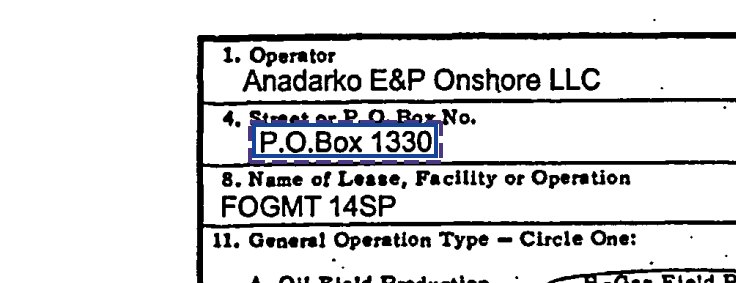
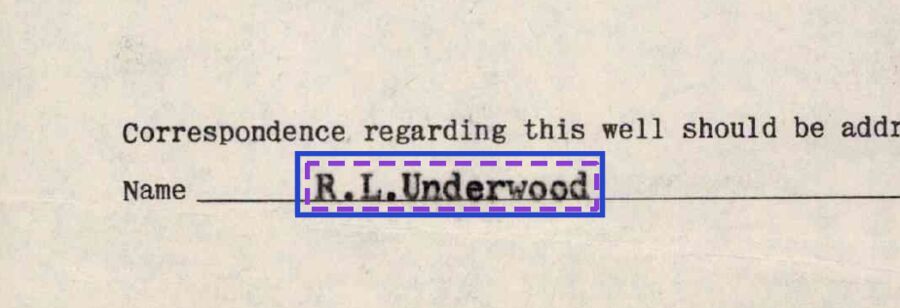
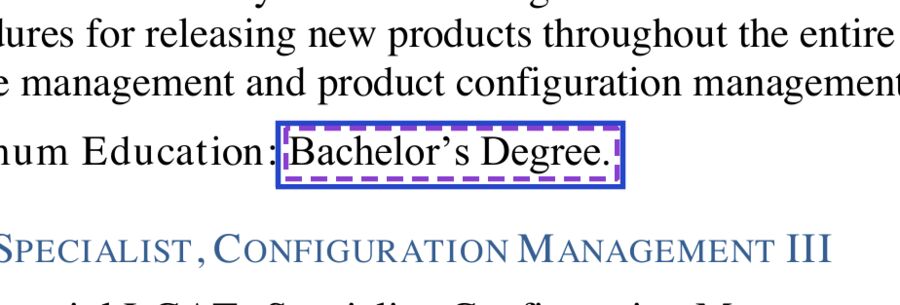
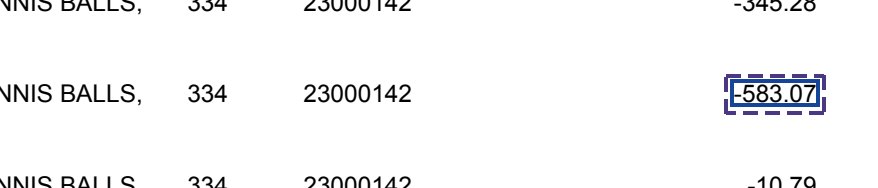
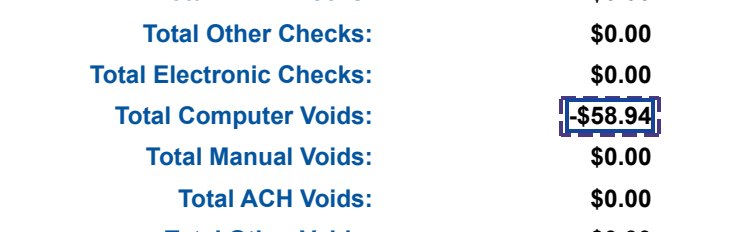
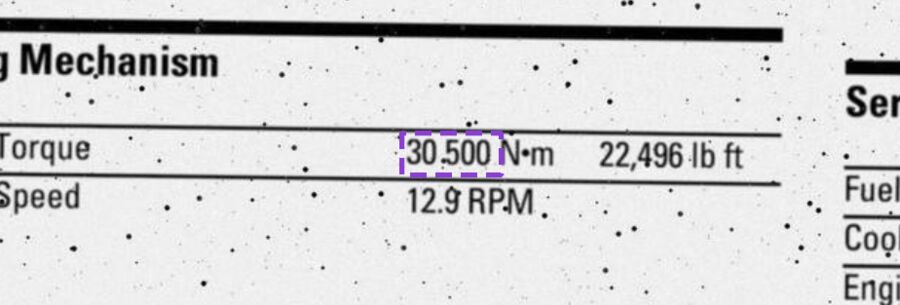
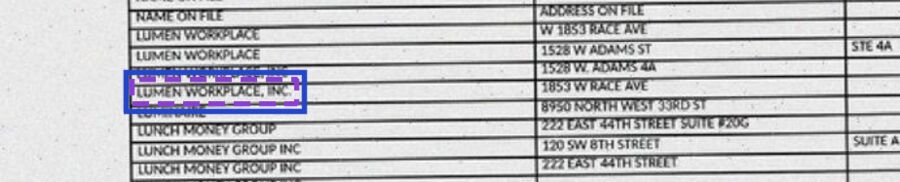
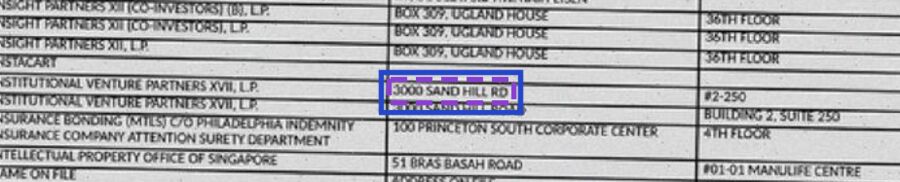
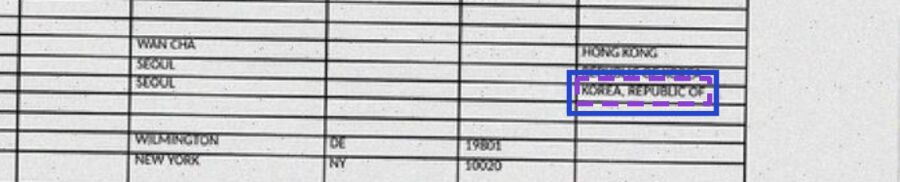
Here are real pages from the benchmark. In each excerpt, the solid blue box marks what the answer key expects and the dashed purple box marks our answer. Where the answer key's value is blank or isn't printed on the page, only our box appears.
What do you think?
The page prints "P.O.Box 1330" with no space. We returned exactly that; the answer key adds a space.
What do you think?
The typed name has no space after the second initial. We returned it as typed; the answer key adds a space.
What do you think?
The page uses a curly apostrophe, and the answer key copies it. We returned a straight one. Same degree.
What do you think?
The check register prints the amount without a dollar sign, and the answer key follows the page. We added one. The amount is the same.
What do you think?
Here the page prints the dollar sign and we dropped it. We kept the "$" in one document and dropped it in the other, which we will make consistent. Either way, the amount is the same.
What do you think?
This copy of the spec sheet is deliberately degraded, and a speck of noise sits between "30" and "500". We read it as a separator. Read as a thousands separator, as in European notation, 30.500 is the same 30,500 N·m, though a reader used to US notation could take it for 30.5. This one is a judgment call.
What do you think?
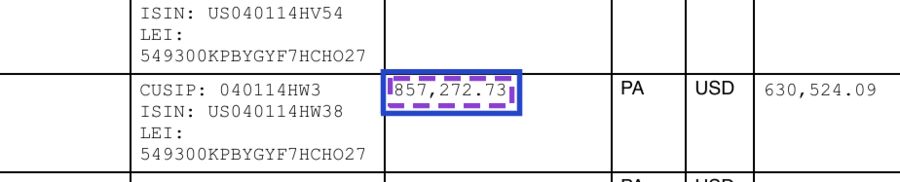
The page prints 857,272.73, and so does the answer key's own quote of the page. The answer key's value carries two more decimal places that the page does not show. This is the one answer-key error we found and verified.
What do you think?
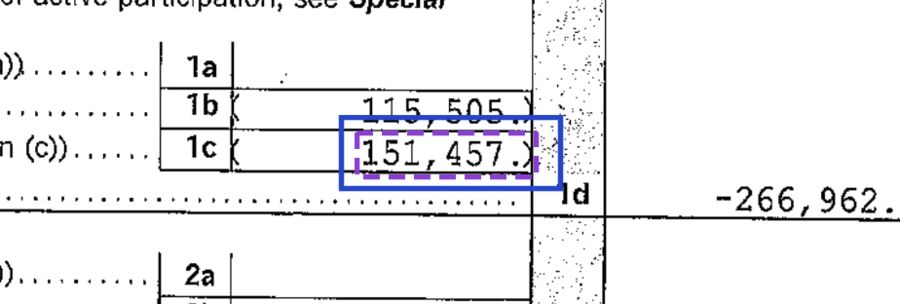
Form 8582 prints line 1c, prior years' unallowed losses, in parentheses, the convention for a loss. The answer key stores it as a negative number; we returned the amount without the sign. The field is named for losses, so both say $151,457 of unallowed losses.
What do you think?
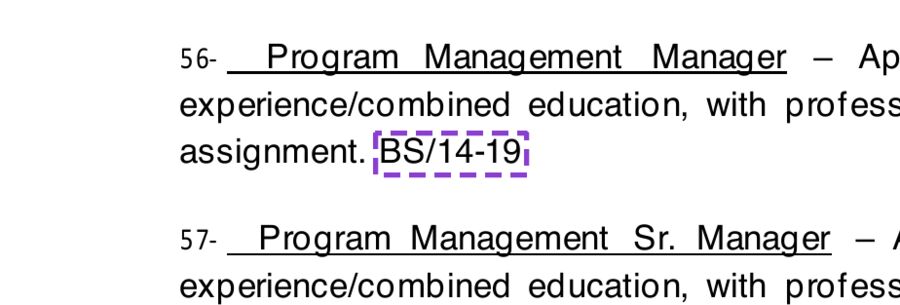
A GSA price list prints "BS/14-19" for the experience requirement, in a field for years of experience. We returned "14-19"; the answer key adds "years", which the page does not print.
What do you think?
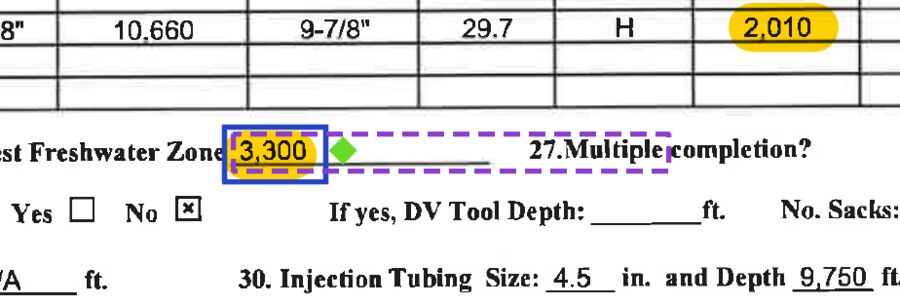
The form asks for the depth of the deepest freshwater zone, and the page shows "3,300". We added the unit, feet; the answer key has the bare number.
What do you think?
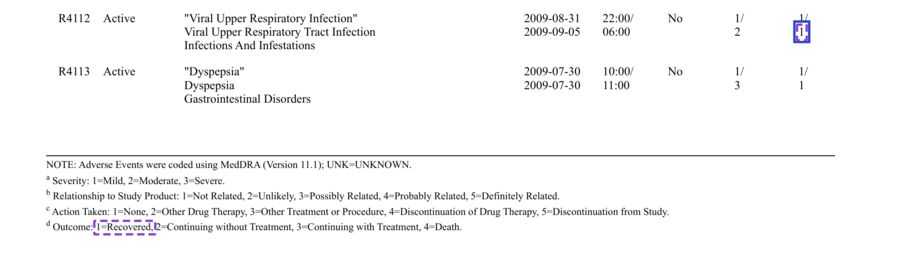
The table prints outcome code 1, and the footnote spells it out as "1=Recovered". We returned it as the footnote writes it; the answer key uses capitals.
What do you think?
The only difference is the period after "INC". Same company.
What do you think?
The list prints "3000 SAND HILL RD". We spelled out "ROAD"; the answer key keeps the abbreviation. Same address.
What do you think?
The list prints the country name in index order, "KOREA, REPUBLIC OF". We returned it in reading order. Same country.
What do you think?
The preparer's phone number is printed with hyphens. We returned the same ten digits separated by spaces.

What do you think?
The notary block reads "sworn to before me this 29th day of", and the field holds the day. The answer key keeps the "th"; we returned the number.
What do you think?
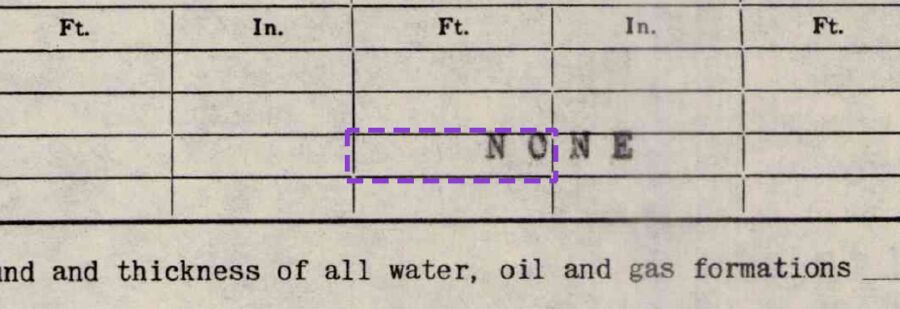
The casing record has "NONE" typed across the feet-pulled-out columns. We returned "NONE"; the answer key leaves the field blank. Both say nothing was pulled out.

What do you think?
The W-2 shows a redacted number. The answer key's version ends in five X's and ours in four. Neither is a real number, and the field scores as an error on several W-2s in the set.
What do you think?
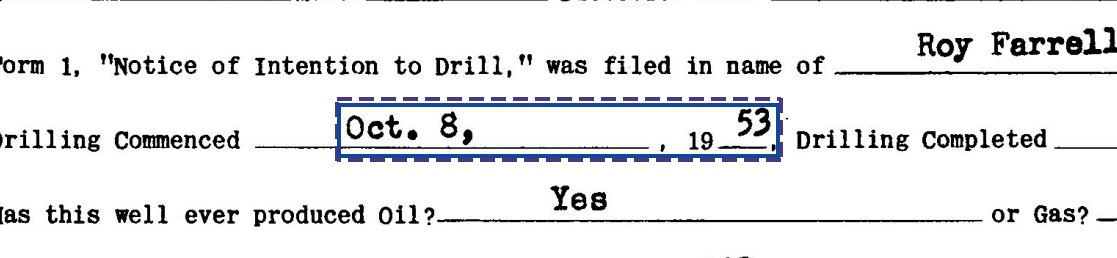
This 1950s form pre-prints "19", and the filer typed "53" after it. We returned the date as it appears on the page; the answer key joins the year.
Every functionally equivalent value from our run is in our public value browser, with page crops, next to the real errors and a sample of correct values.
Accepting variations was a choice
The benchmark already has the tools to accept answers like these. The answer-key format can list more than one acceptable reading for a field. The scorer also includes opt-in rules that accept a different letter case, a trailing period, spacing around punctuation, phone-number formatting, a blank checkbox read as either empty or unchecked, and loosely written dates. The code says they exist for fields where "the printed template makes one strict reading unfair."
LlamaIndex decides where each one applies. Of about 858,000 fields in the current answer key, 440 list a second reading, such as "2025", "FY 2025" and "FY'25" for a fiscal year, and 2,188 have one of the rules turned on.
Above 94, the differences are scoring choices
As of this writing, there are 17 systems within two points of each other on accuracy. Our own output is heavily penalized for format conventions such as case, spacing, punctuation, currency symbols, date formats, and null vs 0 for a blank amount. We suspect this is also the case for other participants.
We are not the first to look at this. Datalab published a detailed account of format conventions (blank numbers, unchecked boxes, currency and whitespace) that cost it points in its first scoring; after its adapter was fixed, its score rose from 64.5 to about 96. Extend's Operator-1 launch reports its score with nulls normalized and notes the difference in a footnote.
Many of the decisions that separate systems above 94 are arbitrary: whether "P.O." takes a space, whether an amount keeps its dollar sign, whether "14-19" needs the word "years". Each choice is defensible on its own, and each moves scores by tenths of a point in a band where 17 systems sit within 2.06 points.
Our full results
We ran all 370 documents on our public production API: Parse dpt-3-pro-20261111 and Extract extract-20261111, standard service tier, the same API anyone can sign up for. The connector code is in our pull request to the benchmark, and every output and evaluation file is in our benchmarks repository.
| Metric | All 370 | Short (252) | Medium (98) | Long (20) |
| Value F1 | 94.11 (#17 of 59) | 94.88 (#24) | 93.26 (#9) | 88.65 (#10) |
| Precision / recall | 94.23 / 94.07 | 94.92 / 94.89 | 93.65 / 93.03 | 88.43 / 88.87 |
| Word-level grounding F1 | 66.14 (#12 of 28) | 63.23 | 72.36 | 72.32 |
| Page-level grounding F1 | 83.48 (#16 of 28) | 81.98 | 87.86 | 80.95 |
| Cost per page (list price) | $0.0474 | $0.0472 | $0.0373 | $0.0996 |
| Mean latency per document | 347 s | 294 s | 444 s | 541 s |
Grounding. ExtractBench scores whether each extracted value comes with a box around the right words on the page (word level) or at least points to the right page (page level). Only 28 of the 59 ranked systems return grounding at all. Ours comes with every extracted value at no extra cost, and our 66.14 word-level score is the highest among the 12 specialized document APIs on the leaderboard. The systems above us are LlamaExtract and coding agents.
Speed and failures. The documents that completed finished well inside the benchmark's 30-minute limit: the median took 4.7 minutes and the slowest 23.7 minutes. One 72-page bond-fund document failed when its extraction job hit the service's own time limit, which costs 0.27 points overall and 4.4 points on the long split.
How we tested
- System: LandingAI Agentic Document Extraction v2 APIs, Parse
dpt-3-pro-20261111and Extractextract-20261111, standard tier, public production API. Benchmark schemas passed unchanged. - Cost: credits billed by the API at the $0.01 list price per credit, averaged per page and per document as the benchmark specifies.
- Data: all outputs, evaluator reports, per-document scores and logs are published in landing-ai/agentic-document-extraction-benchmarks.
Try it on your documents
ExtractBench measures a fixed set of public documents against schemas someone else wrote. Your documents are the ones that matter. Sign up, build a schema from your own samples, and check every value against its source on the page.