Take a live AI-guided product tour with Lando.Launch AI demo
Use case

Auto insurance underwriting, grounded in evidence

An auto underwriting file holds the application, licenses, registrations, motor vehicle reports and loss runs, plus fleet schedules for commercial accounts. Each value is traced to its source page.

LandingAI transforms documents into highly accurate, verifiable, structured data so teams can reliably automate document-intensive workflows.

The Problem

Why auto submissions are slow to read

A fleet arrives as a stack

The ACORD 127 holds 13 drivers and four vehicles, so a larger fleet adds vehicle and driver schedules, then a loss run from each prior carrier.1

Every state prints its own record

Motor vehicle reports, violation descriptions and point systems differ by state, and so do registration cards. Each prior carrier prints its loss run in its own columns as well.

Answers have to match the evidence

Listed drivers, garaging and mileage are checked against licenses, registrations and driving records. Unlisted drivers cause the most mispriced premium.2

One Pipeline

The same pipeline for every document

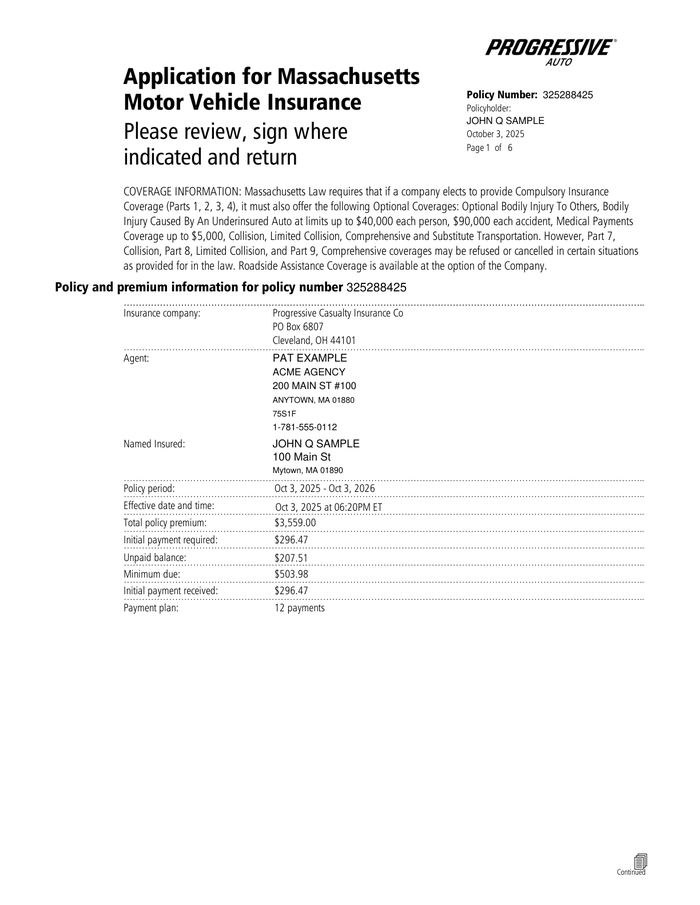
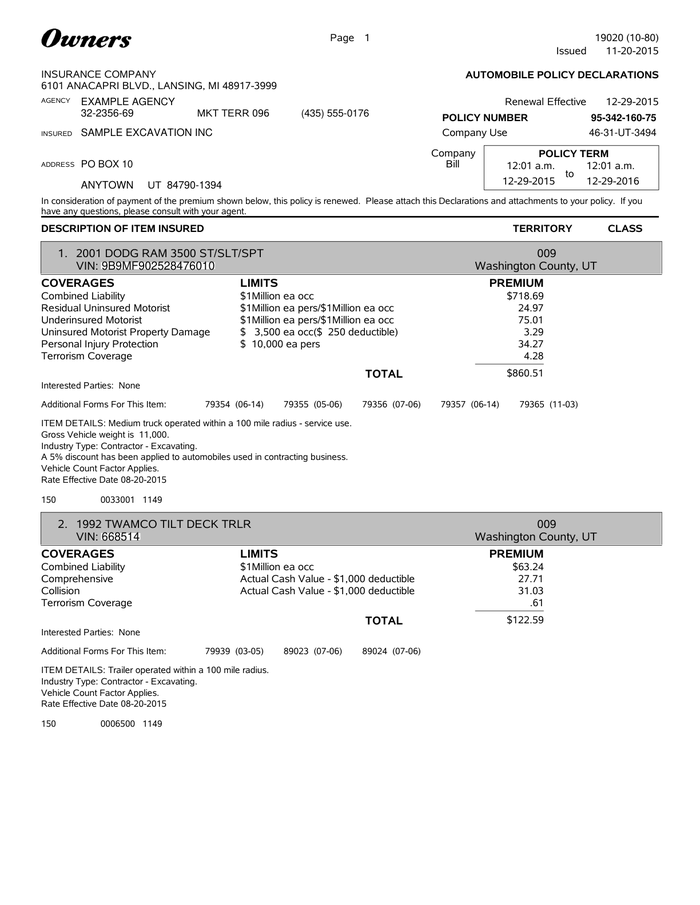
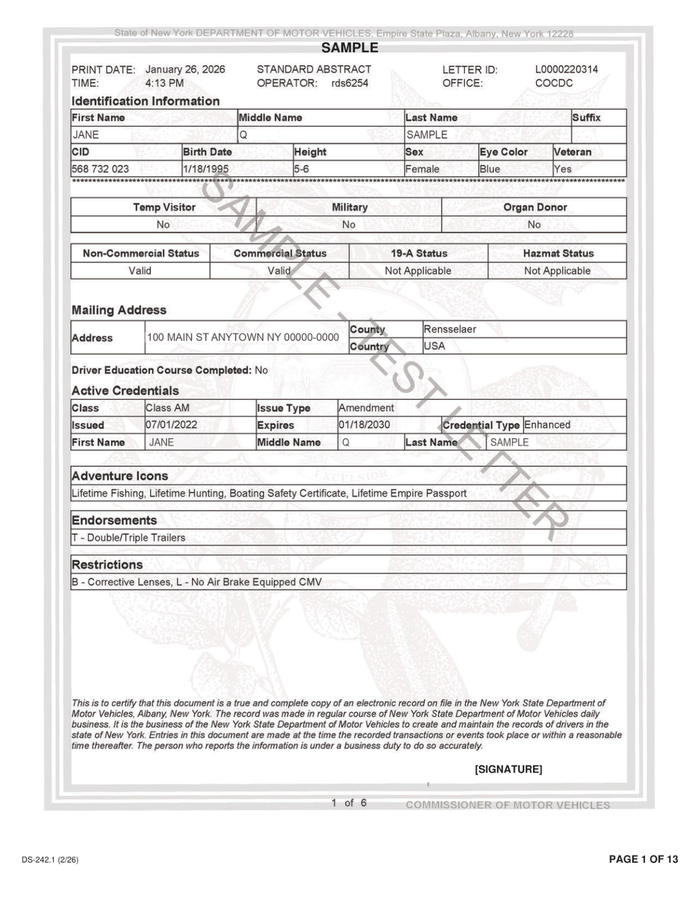
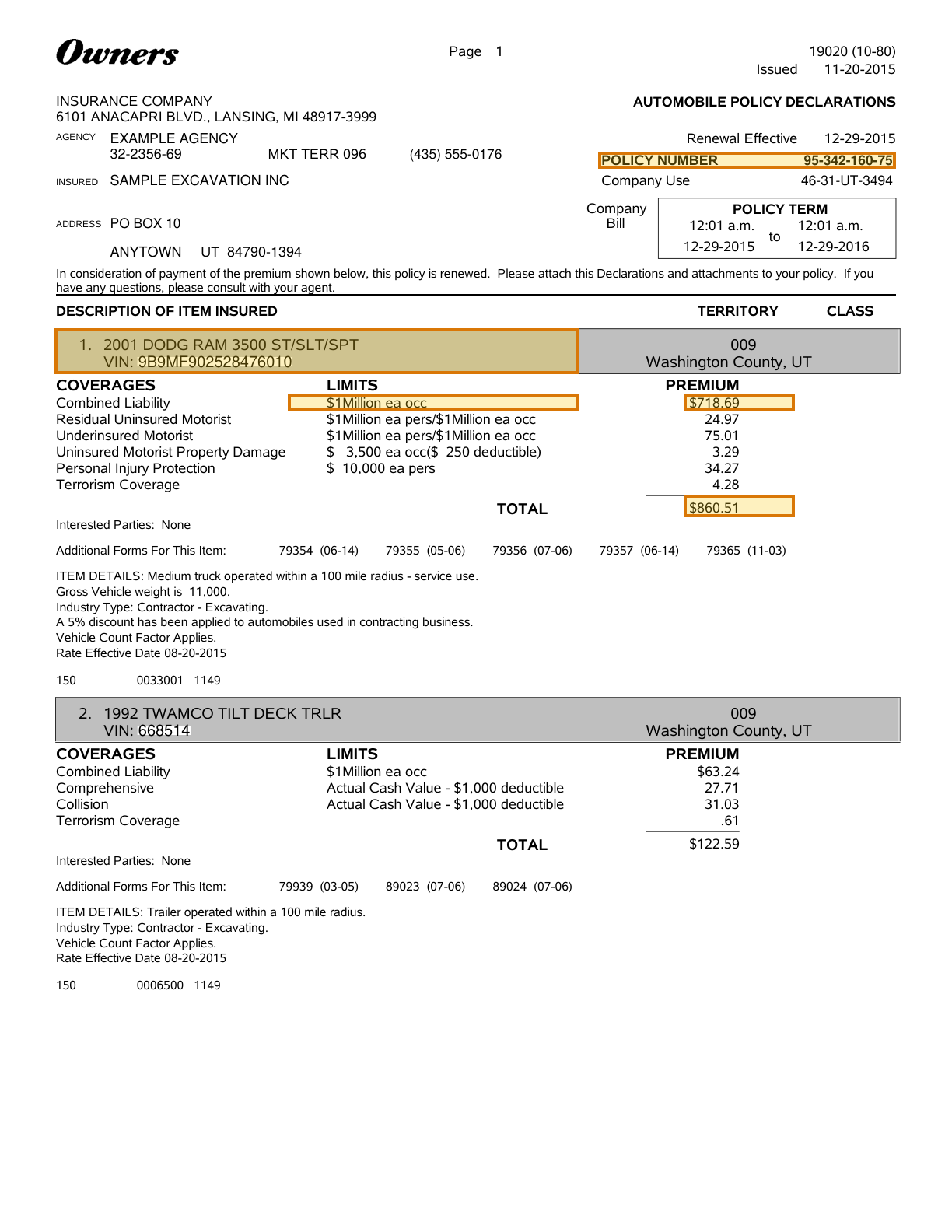
The same Parse call reads an auto insurance application, a commercial auto declarations and a motor vehicle report. Every document type uses one set of APIs, with zero templates to build and zero models to train or fine-tune.

  • No templates or training

    A new form, issuer or document type works on its first call, with nothing to configure.

  • Layout changes keep working

    If an issuer redesigns a form or a new version arrives, no pipeline changes are needed.

  • Test a new document in minutes

    Upload a sample in the Playground; agentic reasoning will immediately understand it.

Common pipelines

When documents arrive individually

Classify, then parse and extract each document into a databaseClassifyParseExtractDatabase

When documents arrive as a packet

Parse the packet, split it into documents, and extract each into its own databaseParseSplitExtractDatabaseExtractDatabaseExtractDatabase
How It Works

How it works for auto submissions

  1. 1

    Parse the submission

    Parse reads application forms, vehicle schedules, motor vehicle reports and multi-page loss runs into structured Markdown, with their tables and checkboxes intact.

    Parse API →
  2. 2

    Split it into documents

    Split takes the Parse output and separates the submission into its application, each schedule, each driver's report and each carrier's loss run, with the page range of each.

    Split API →
  3. 3

    Extract drivers, vehicles and losses

    Extract returns drivers, VINs, garaging, violations and loss totals as JSON that matches the schema for each document type.

    Extract API →
  4. 4

    Ground every value

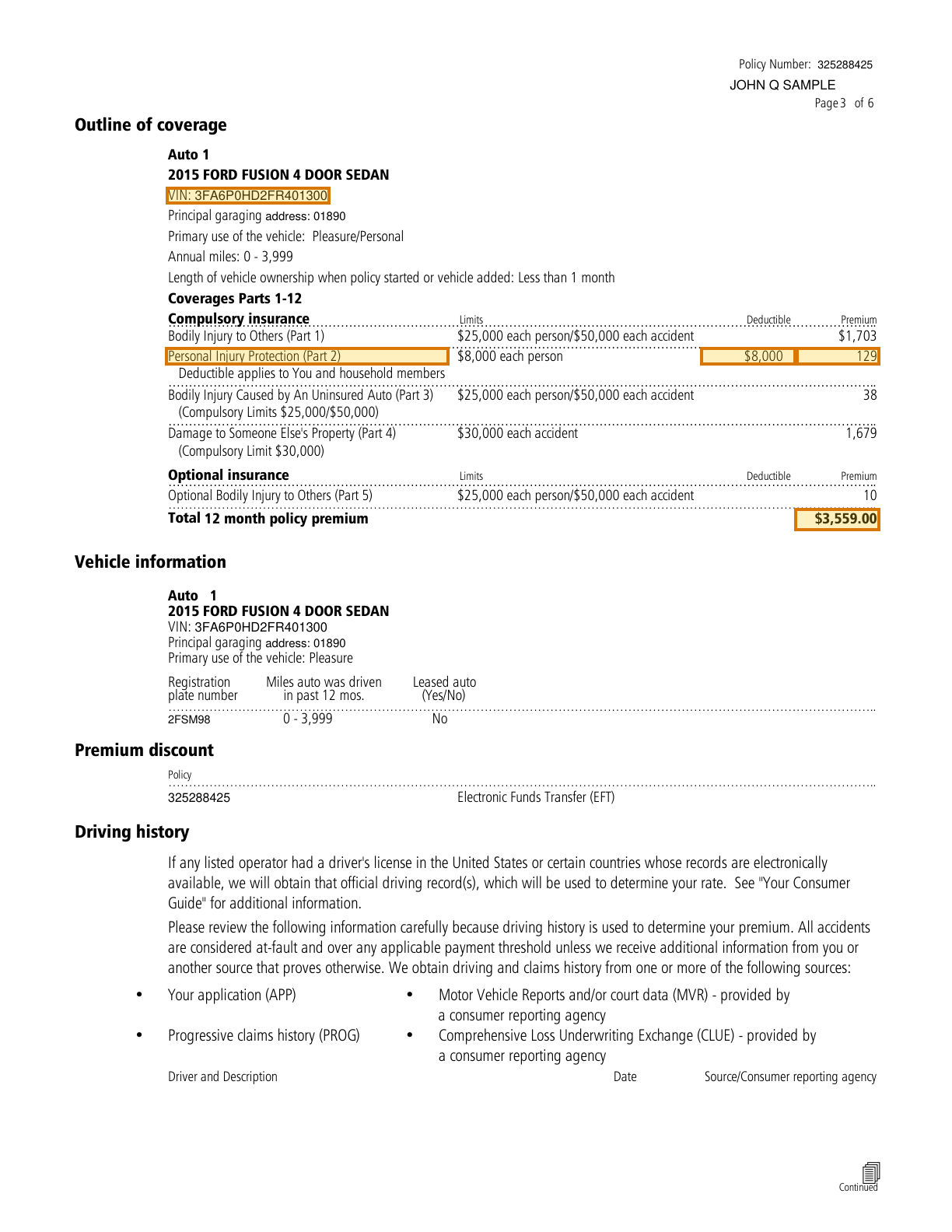
    Ground maps each extracted value to the block, page and bounding box it came from, so an underwriter checks a violation or an open reserve on the original page before rating the risk.

    Ground docs →
Specific Documents Involved

The auto underwriting file

Trusted, high-volume processing of the documents involved in auto insurance underwriting requires handling diverse document types and layouts. A driver's license is very different from an auto insurance application, which is different from an auto loss run. The pipeline must provide high accuracy and consistent outputs across all of them.

Our agentic approach is able to reason over each document type and return structured hierarchical Markdown and JSON outputs that downstream systems can rely on.

Worked examples

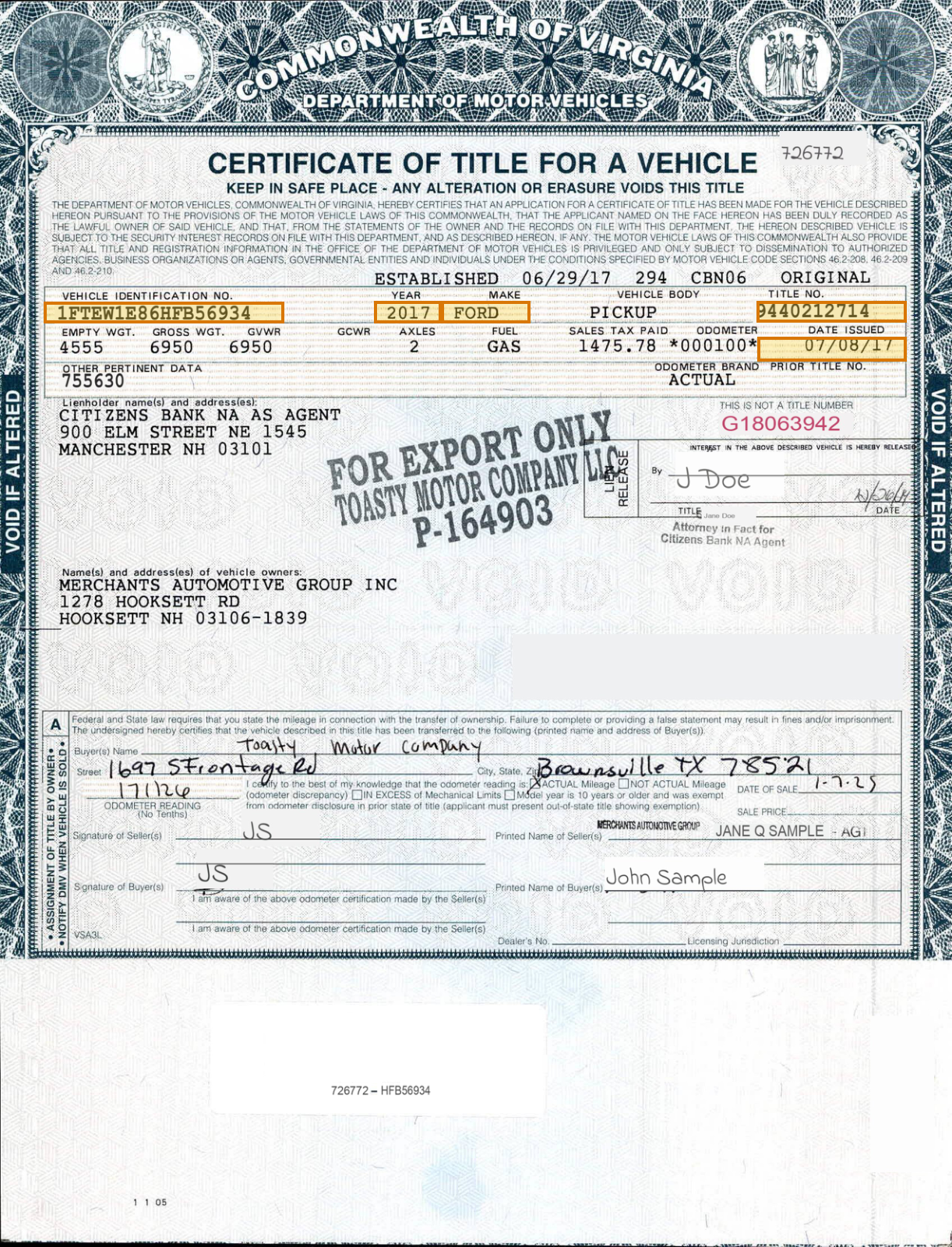
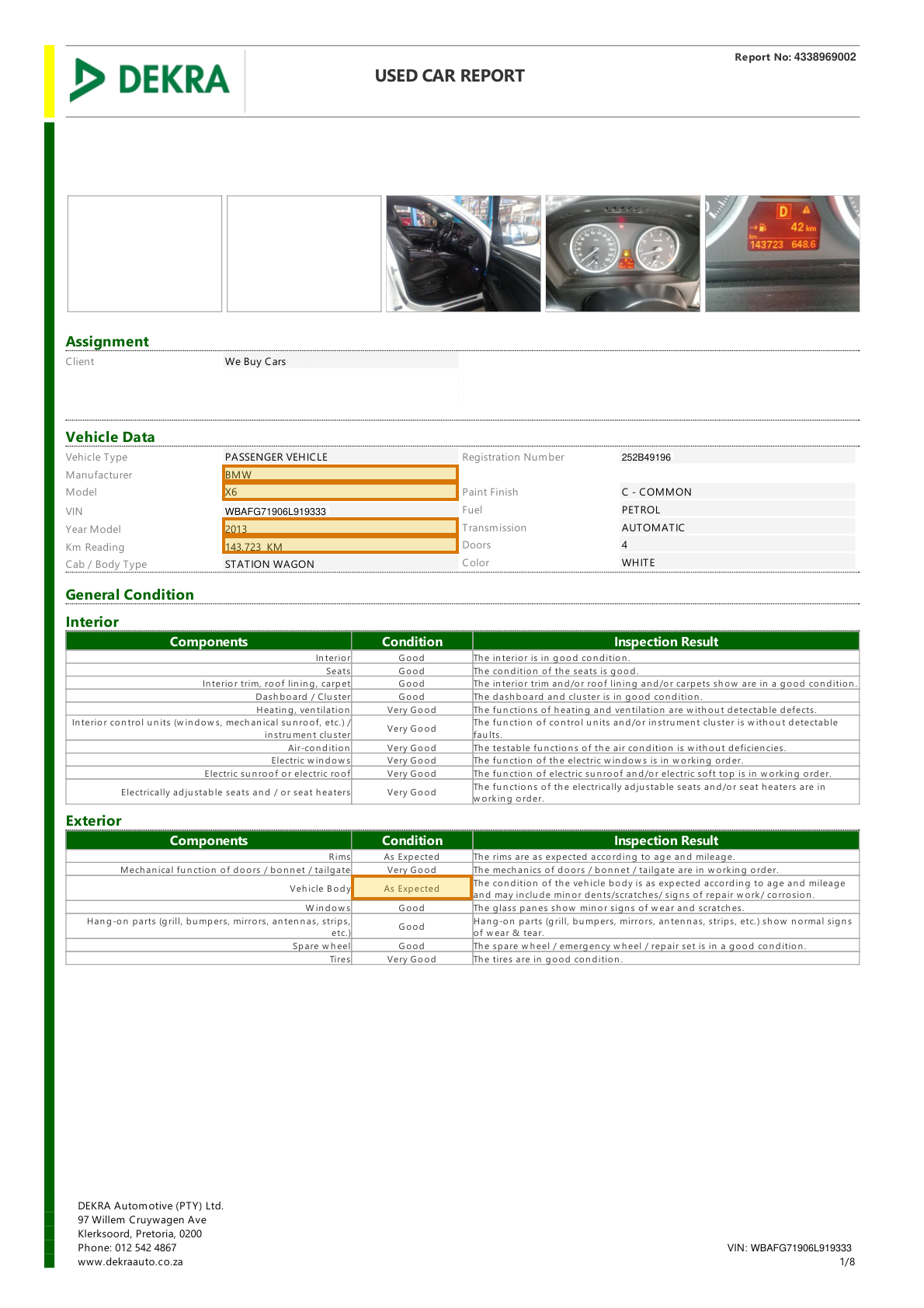
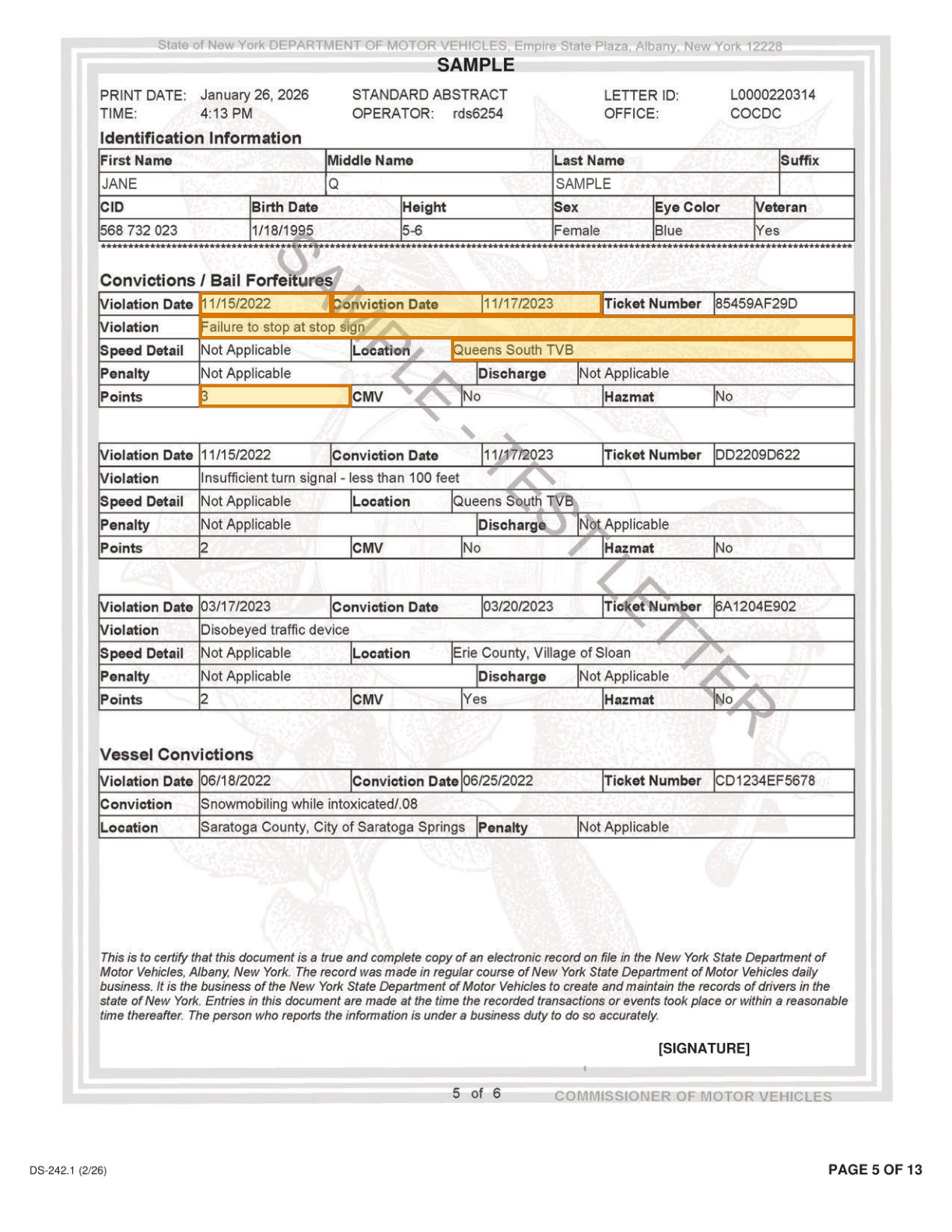
Each document below links to a worked example. The documents and schemas are available in full on GitHub and you are welcome to use them for your own testing.

Values to Extract

Key fields across the underwriting file

FieldSource documentUsed for
Driver name, date of birth and relationship to the insuredAuto Insurance ApplicationDriver reports ordered and household drivers checked
VIN, garaging ZIP, primary use and annual milesAuto Insurance ApplicationRating territory, use and mileage class
Prior insurance and driving history incidentsAuto Insurance ApplicationAnswers compared with the driving record and loss history
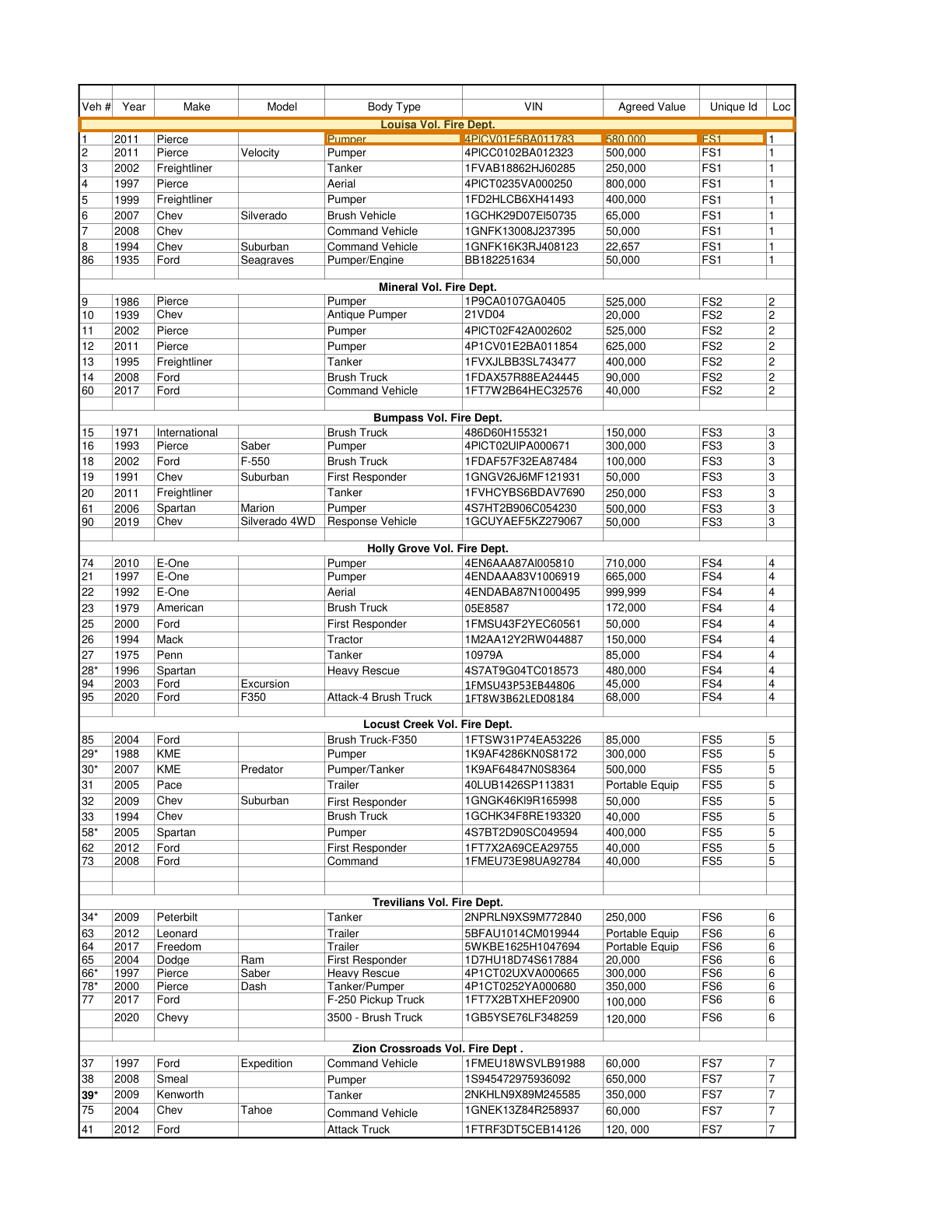
Year, make, VIN and stated valueVehicle ScheduleFleet rating and physical damage values
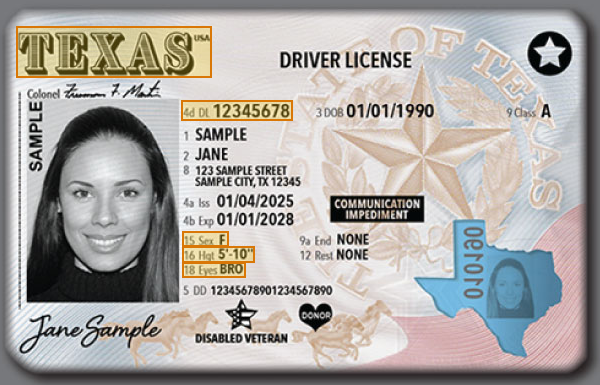
License number, issuing state, date of birth and expirationDriver's LicenseDriving record order and driver age rating
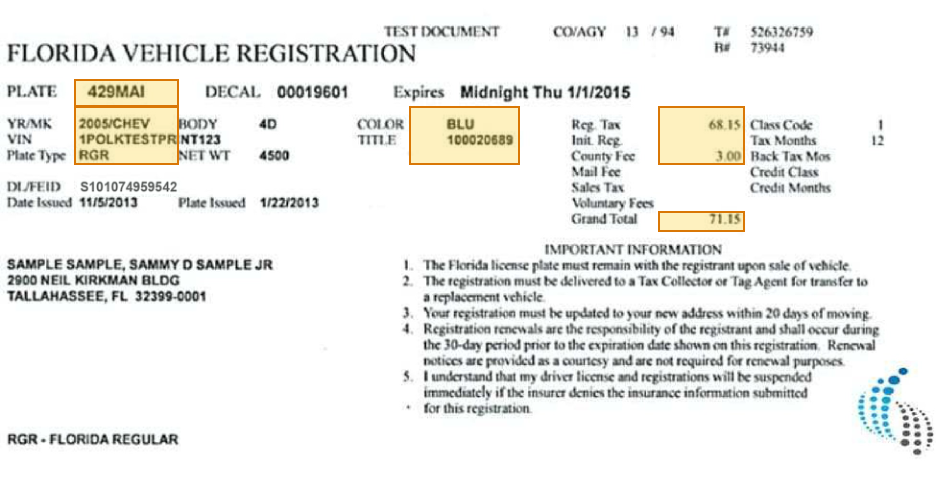
VIN, model year and makeVehicle RegistrationVehicle rating and VIN match with the application
Registrant, address and expiration dateVehicle RegistrationOwnership and garaging territory
Scheduled vehicle, VIN, coverage limit and vehicle premiumCommercial Auto DeclarationsExpiring fleet terms compared with the new schedule
License class, status and expirationMotor Vehicle ReportDriver eligibility
Violation, conviction date and pointsMotor Vehicle ReportViolation surcharges and driver rating
Suspension reason and effective dateMotor Vehicle ReportDriver acceptability
Crash dateMotor Vehicle ReportAccident surcharge review
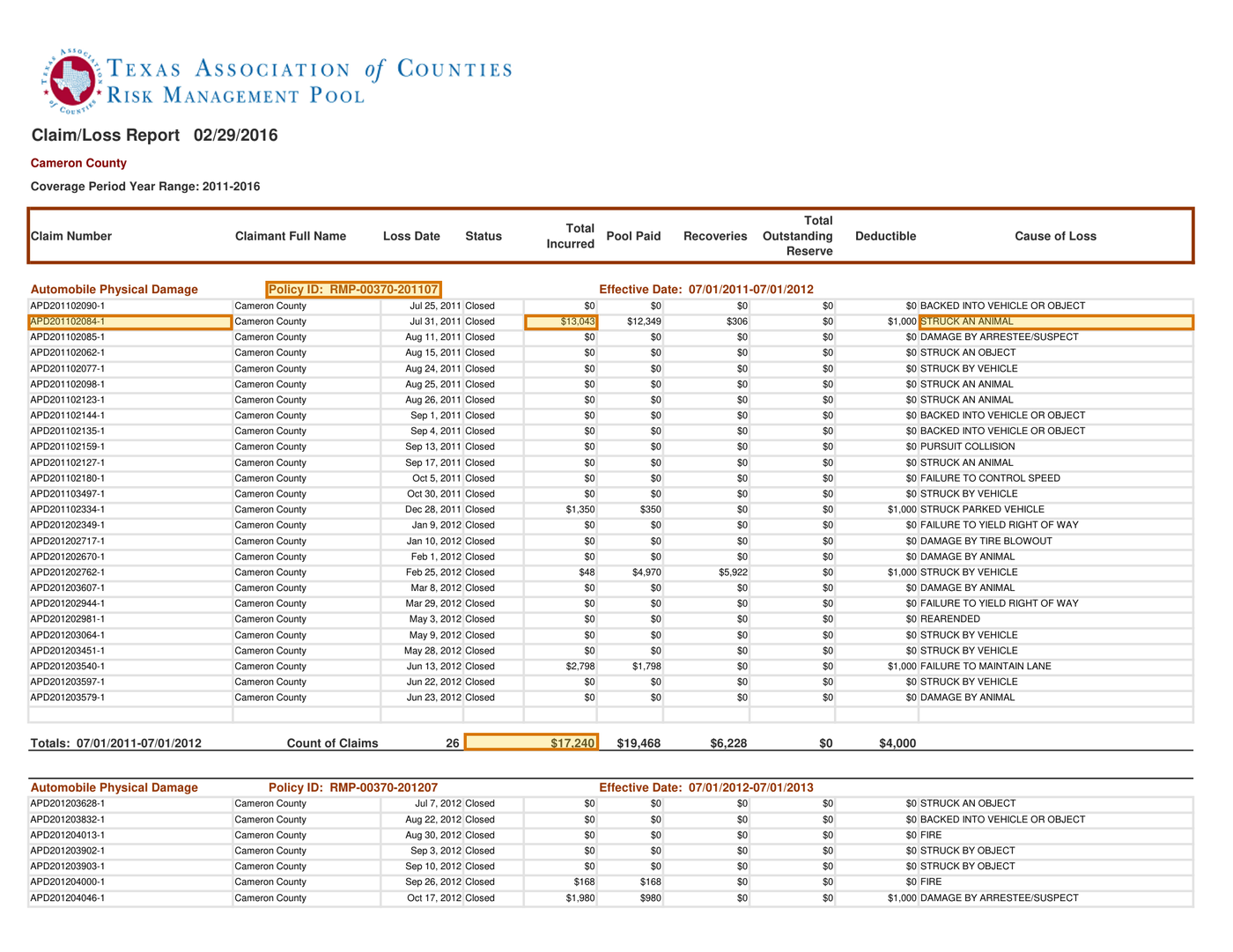
Policy period, claim count and total incurredAuto Loss RunLoss frequency and severity
Loss date, cause of loss, claim status and outstanding reserveAuto Loss RunOpen-claim exposure and loss patterns
Carrier, line of coverage and run dateAuto Loss RunPrior coverage and how current the run is
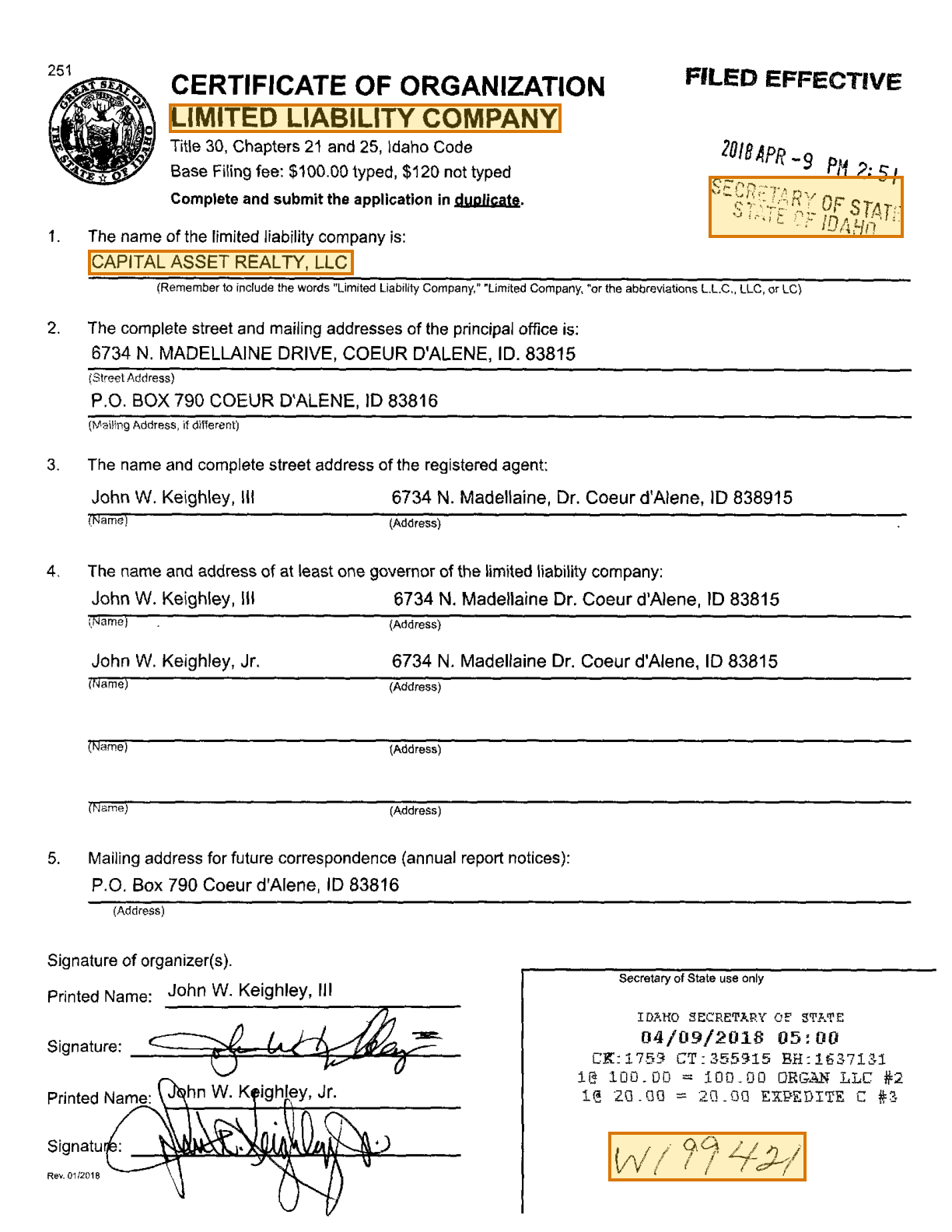
Business name, entity type and jurisdictionBusiness RegistrationNamed insured matches the legal entity
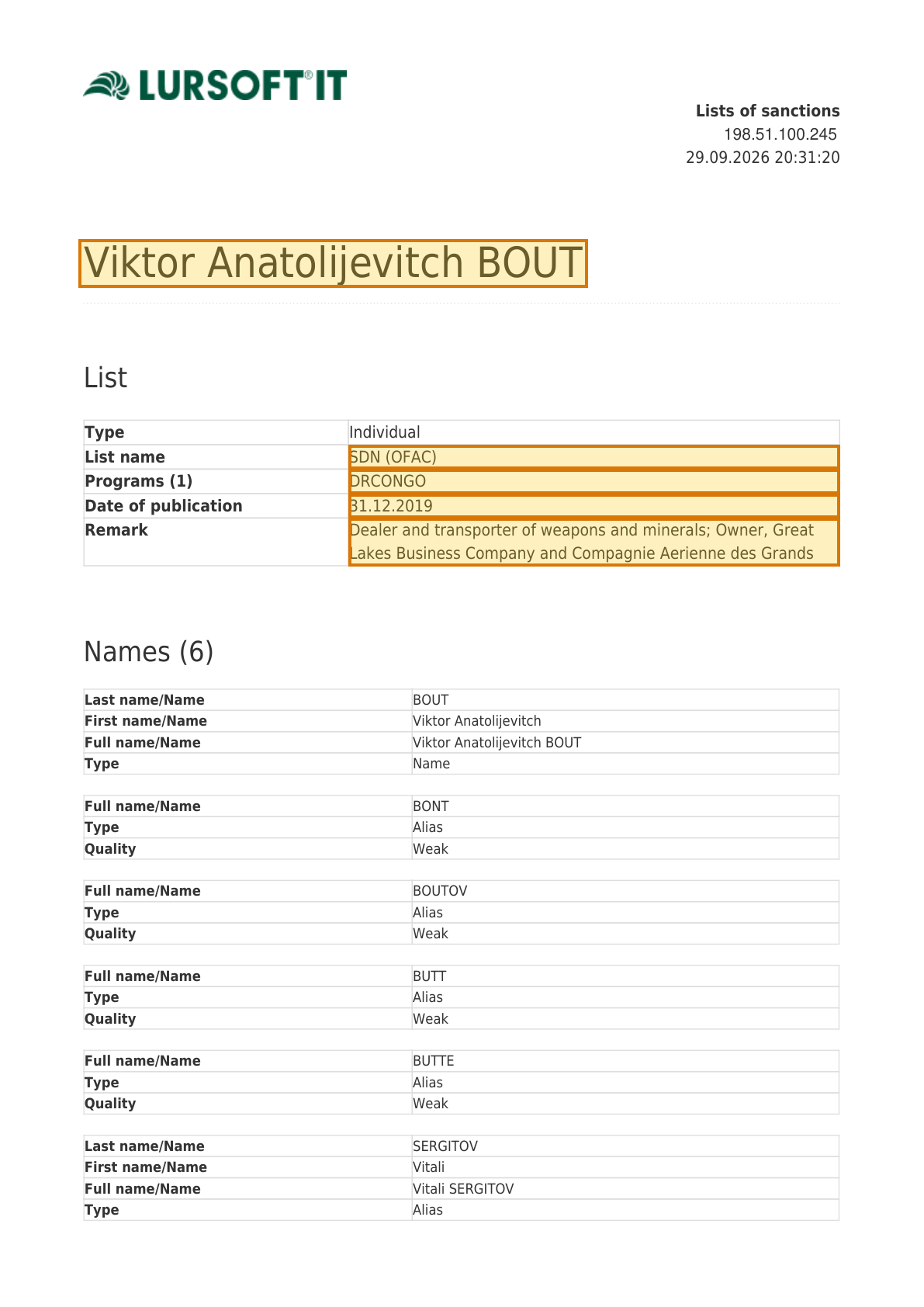
Listed name, sanctions list and programsSanctions ScreeningSanctions clearance before binding
Metrics

Business impact

Auto underwriting leaders measure document work in three places: how fast a quote goes out, how much underwriter time goes to rekeying and how well each rate matches the evidence.

RevenueSubmissions quoted up
BeforeWith ADE

Quote more submissions while the broker is still waiting

Brokers often market a commercial auto submission to several carriers at once, and a slow quote can lose the account. When schedules, driving records and loss runs are read in minutes, more submissions reach an underwriter and get a quote.

CostUnderwriter hours per submission down
BeforeWith ADE

Cut the hours underwriters spend rekeying drivers and vehicles

Drivers, VINs and loss totals are typed from schedules and reports into the rating system, often more than once. Extracted, grounded fields let underwriters start from the values and open the page only where one needs a closer look.

40%of the average P&C underwriter's time goes to administrative tasks, in a 2021 survey3
RiskPolicies rated on wrong information down
BeforeWith ADE

Rate every policy on answers checked against the evidence

Unlisted drivers, misstated garaging and undisclosed violations leave a policy priced below its risk. Grounded values let rules and underwriters compare each application answer with the license, registration and driving record behind it.2

Why LandingAI?

Documents into data

Accurate

The best accuracy on the difficult documents other tools get wrong, such as messy scans, complicated tables, checkboxes and handwriting.

Auditable

Every answer cites its sources. Values come back with an audit trail (page, bounding box, character range) so a human can review them.

Agentic

Applies multi-step reasoning, and plans before it acts. Handles documents it has never seen before and adapts to variations.

API-first

Composable APIs that drop into any tech stack and can be called from anywhere. Easy to build on and embed in your pipelines and products.

Affordable

Cost-competitive rates with complete price transparency. Spend controls before you run, and every job reports its exact cost.

Enterprise-grade

Built for production and scale from day one. Fully observable and monitored, running securely in our cloud or yours.

Built for high-volume, high-throughput production

  • Zero data retention
  • Priority rate limits
  • Enhanced support
  • VPC and on-prem deployment

Available on Team and Enterprise plans. VPC and on-prem deployment require an Enterprise plan.

Compare plans
Related

Explore related pages

FAQ

Questions, answered

Yes. A Split rule can name the motor vehicle report as a type and give it an identifier, such as the driver's license number. Split then returns one sub-document per driver, with its pages and Markdown, so each report is extracted against the same schema and matched to a driver on the application. The same rule shape separates loss runs by carrier.

Yes. Parse accepts JPEG, PNG, WEBP and TIFF images as well as PDFs, so a photo of a license or registration card goes through the same pipeline as a scanned application. Extract returns the license number, issuing state, VIN and registrant, each grounded to its location on the image.

Parse reads checkboxes and radio buttons as part of each form field and writes them into standardized Markdown. An extraction schema can define each yes-or-no question, such as business use of a vehicle or a prior cancellation, as a boolean or enum field. Each answer returns with the page and location of the box it was read from.

Yes. Model the policy years as an array, with each year holding its period, its claims and its totals row. Every claim then comes back nested under the policy year it was printed beneath, with its loss date, cause of loss, status and reserve. Summing the claims in your own code and comparing them with the printed totals confirms each year before it reaches a rating model.

Yes. Each schema field carries a description of its meaning, and the x-alternativeNames keyword lists the other labels states print for it. Convictions, points, suspensions and license status land in the same fields whichever state issued the abstract. Violation descriptions return as printed, so your rules map each state's wording to your own codes.

Yes. Each field carries a description, and the x-alternativeNames keyword lists the other labels carriers print for it. Extraction matches fields by meaning, so policy period, claim count, total incurred and outstanding reserve land in the same fields whichever carrier printed the run.

Every value returns with its page number, a bounding box, a character range in the parsed text and a confidence score. A review screen draws the box on the original page, so the underwriter sees the exact line of the driving record or the loss run cell behind a flagged value.

Yes. Parse accepts XLSX and CSV files through the API, as well as PDF exports and scans. Spreadsheet content is grounded by cell, so each value carries an address in Excel notation, such as Units!F12, in place of a page and bounding box.

Zero Data Retention (ZDR) is available on Team and Enterprise plans in the US and EU regions. With ZDR on, documents and results are not stored after processing and are not used for training. LandingAI is SOC 2 Type II certified, and its security documentation is in the Trust Center at trust.landing.ai.

Yes. On the Enterprise plan, Agentic Document Extraction runs as a containerized application in your own AWS, Azure or Google Cloud environment, or on premises. Documents and results stay inside the boundary your security team controls, and the same APIs run there. The network boundary, support access and operating model are agreed during Enterprise scoping.

Start Extracting in Minutes, Not Months

Production-ready AI extraction pipeline with document understanding.

Sources

  1. Merchants Group, ACORD 127 and 129 guide
  2. Verisk Insurance Solutions, "The Challenge of Auto Insurance Premium Leakage"
  3. Accenture and The Institutes, "Why underwriters don't underwrite much" (2022)