Extracting data from customer concentration schedules
A seller's finance team builds its customer concentration schedule from the billing or ERP system, and public bodies print the same table as a list of principal customers. Buyers, lenders and quality of earnings advisors review one for every company they evaluate. Most arrive in a data room as spreadsheet exports or PDFs.
Diligence needs each customer's revenue by period, the top-ten total and the share of revenue each represents. A quality of earnings report sizes concentration risk from those figures, and a lender sets customer concentration limits in the credit agreement.
What makes customer concentration schedules hard
Customers enter and leave
A multi-year schedule keeps a row for every customer that ranked in any period, with dashes or zeros in the periods it did not.
One customer, several rows
Affiliated entities often appear as separate customers, such as a university and its hospital, and the concentration figure depends on grouping them.
Symbols in their own columns
Financial schedules print amounts in thousands, with the dollar sign in its own column on the first and total rows only.
Parse, extract, verify
Parse
Parse turns the document into reading-order Markdown and a hierarchy of blocks (text, tables, figures), and grounds each block to its exact location on the page.
Extract
You define the fields in a JSON schema, and Extract returns their values in a consistent, structured format, each linked back to where it appears in the Markdown.
Verify
Each value links back to where it appears, down to the character range in the Markdown, and the page and bounding box in the source document, so every result can be verified.
One customer concentration schedule, end to end
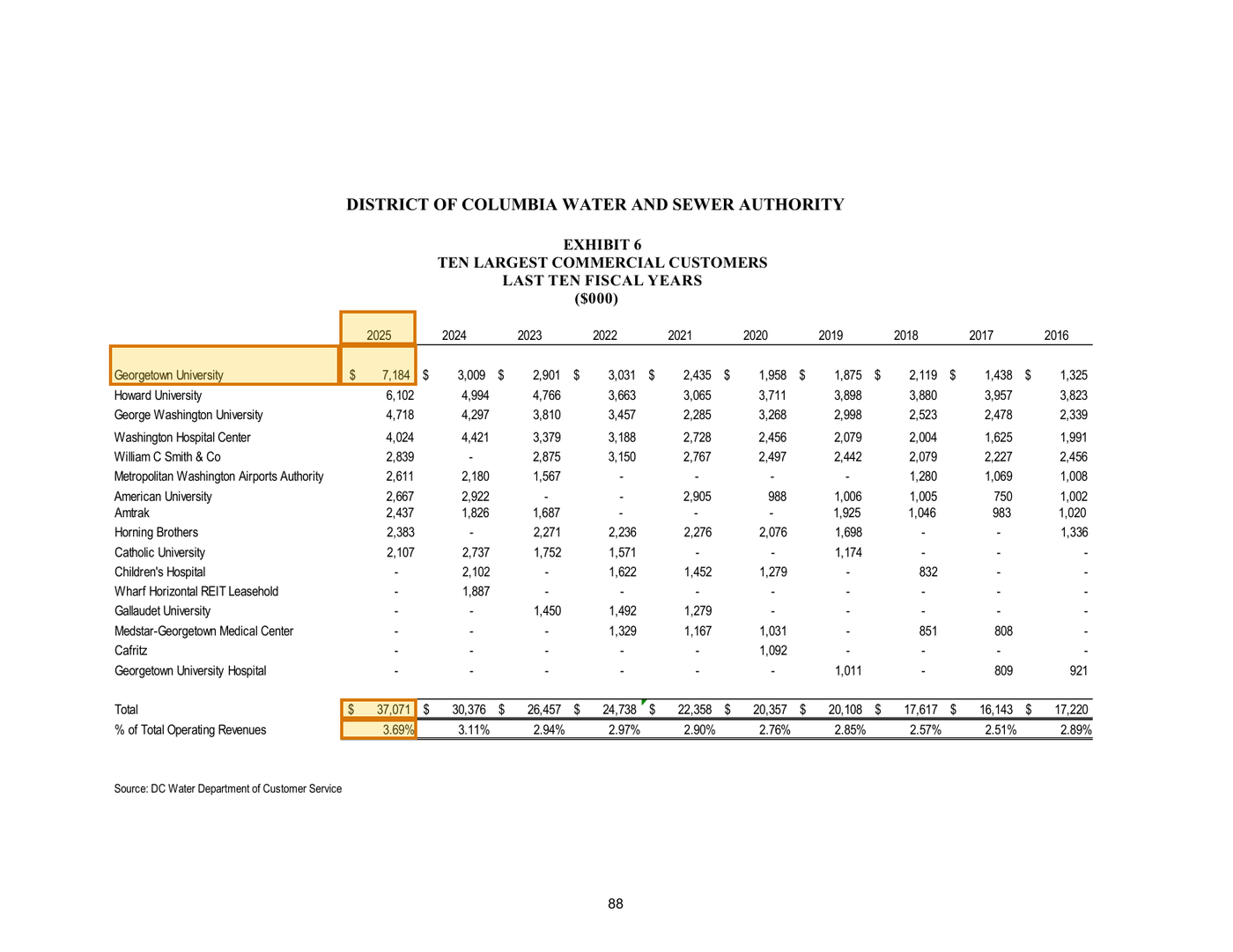
About this document: Two pages from the statistical section of the annual comprehensive financial report of the District of Columbia Water and Sewer Authority. Each landscape page is a ten-year grid in thousands of dollars, one for the ten largest commercial customers and one for the ten largest government customers. Page 1 is featured. A public utility stands in here, because private companies keep their schedules inside the data room.
Processing objective: The objective is to measure how concentrated commercial revenue is in the most recent fiscal year, from the largest single customer up to the top ten combined. Each figure has to stay in its year column, in a grid where most cells print a dash.
Demonstration fields: Fiscal year, Largest commercial customer, Largest customer revenue ($000), Top-ten total ($000), Share of operating revenues
The document
2 of 2 pages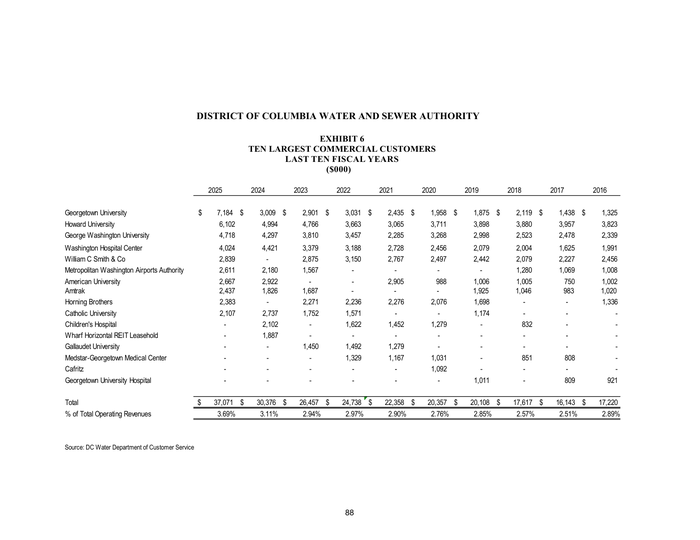 Page 1shown below
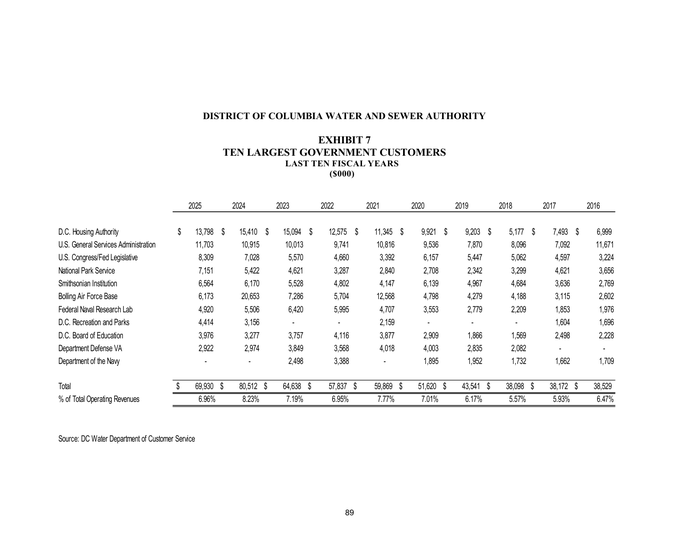 Page 2
Where each value came from
schedules[0].most_recent_fiscal_year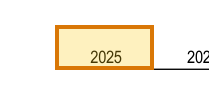
{
  "value": 2025,
  "page": 1,
  "range": {
    "end": 199,
    "start": 195
  },
  "box": {
    "xmin": 0.27575,
    "ymin": 0.32601,
    "xmax": 0.33774,
    "ymax": 0.36211
  }
}schedules[0].customers[0].customer_name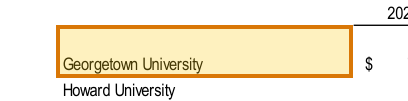
{
  "value": "Georgetown University",
  "page": 1,
  "range": {
    "end": 356,
    "start": 335
  },
  "box": {
    "xmin": 0.08853,
    "ymin": 0.36206,
    "xmax": 0.27582,
    "ymax": 0.40462
  }
}schedules[0].customers[0].most_recent_year_amount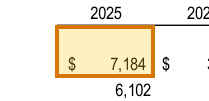
{
  "value": 7184,
  "page": 1,
  "range": {
    "end": 372,
    "start": 365
  },
  "box": {
    "xmin": 0.27578,
    "ymin": 0.36209,
    "xmax": 0.33778,
    "ymax": 0.40464
  }
}schedules[0].yearly_totals[0].total_amount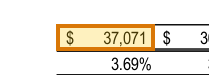
{
  "value": 37071,
  "page": 1,
  "range": {
    "end": 3095,
    "start": 3087
  },
  "box": {
    "xmin": 0.27614,
    "ymin": 0.73447,
    "xmax": 0.33808,
    "ymax": 0.75547
  }
}schedules[0].yearly_totals[0].percent_of_total_operating_revenues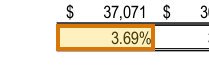
{
  "value": 3.69,
  "page": 1,
  "range": {
    "end": 3310,
    "start": 3305
  },
  "box": {
    "xmin": 0.27616,
    "ymin": 0.75545,
    "xmax": 0.3381,
    "ymax": 0.77616
  }
}
How to try it yourself
Everything on this page is reproducible. The sample, its schema, and the Parse and Extract API outputs are published. You can repeat the same two calls from whichever surface you already build on.
- Claude Skilldescribe the job; the agent writes it
- CLIno code at all
- MCPexpose ADE docs as an agent tool
- REST APIany language
- Pythonlandingai-ade
- TypeScriptlandingai-ade
Documents into data
Accurate
The best accuracy on the difficult documents other tools get wrong, such as messy scans, complicated tables, checkboxes and handwriting.
Auditable
Every answer cites its sources. Values come back with an audit trail (page, bounding box, character range) so a human can review them.
Agentic
Applies multi-step reasoning, and plans before it acts. Handles documents it has never seen before and adapts to variations.
API-first
Composable APIs that drop into any tech stack and can be called from anywhere. Easy to build on and embed in your pipelines and products.
Affordable
Cost-competitive rates with complete price transparency. Spend controls before you run, and every job reports its exact cost.
Enterprise-grade
Built for production and scale from day one. Fully observable and monitored, running securely in our cloud or yours.
Built for high-volume, high-throughput production
- Zero data retention
- Priority rate limits
- Enhanced support
- VPC and on-prem deployment
Available on Team and Enterprise plans. VPC and on-prem deployment require an Enterprise plan.