Extracting data from project schedules
Contractors build project schedules in Primavera P6 or Microsoft Project and submit them as PDF Gantt charts, each with its own columns and coding. Owners, lenders and claims consultants review a baseline at award and an update every month for each job. Most arrive as emailed PDFs or uploads to the owner's project portal.
Schedule review needs each activity's ID, duration, start and finish dates, total float and budgeted cost. A schedule analysis tool compares each update against the baseline to track the critical path, and flags slipping milestones for delay claims and progress payments.
What makes project schedules hard
WBS levels shown by color
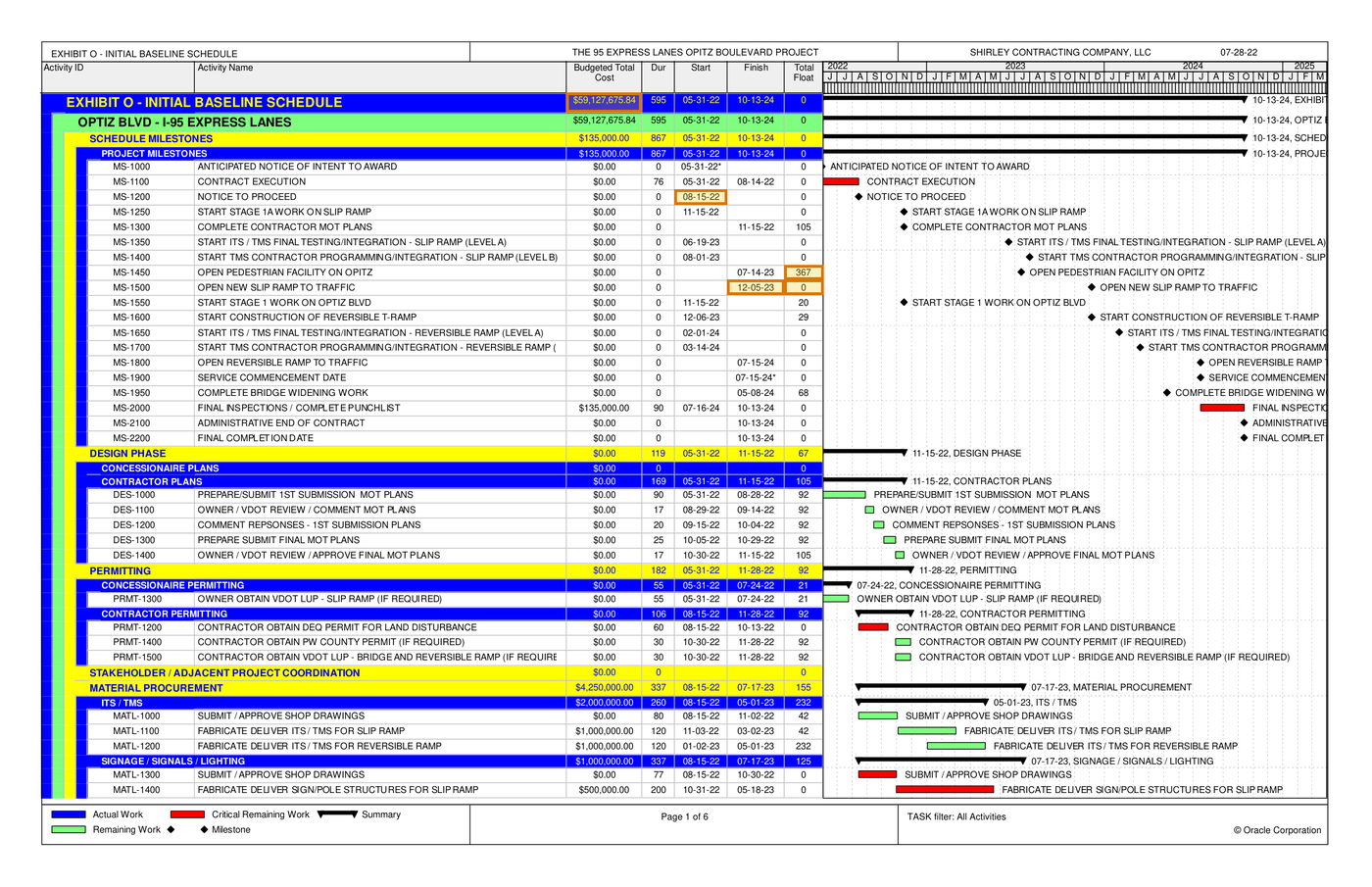
Each WBS level prints as a summary band with its own cost and dates, set apart by fill color and indentation.
Bars repeat the table
Each Gantt bar carries a label repeating its activity name beside the table, cut off where the timescale reaches the page edge.
Blank cells carry meaning
A milestone fills either its start or its finish cell, and an asterisk beside a date marks a constraint the scheduler imposed.
Parse, extract, verify
Parse
Parse turns the document into reading-order Markdown and a hierarchy of blocks (text, tables, figures), and grounds each block to its exact location on the page.
Extract
You define the fields in a JSON schema, and Extract returns their values in a consistent, structured format, each linked back to where it appears in the Markdown.
Verify
Each value links back to where it appears, down to the character range in the Markdown, and the page and bounding box in the source document, so every result can be verified.
One project schedule, end to end
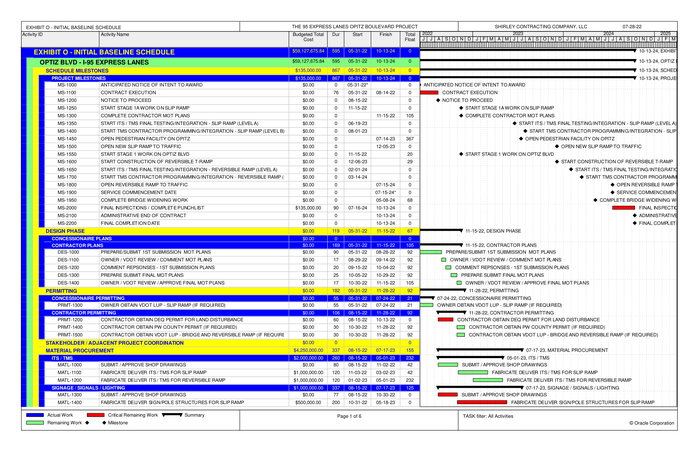
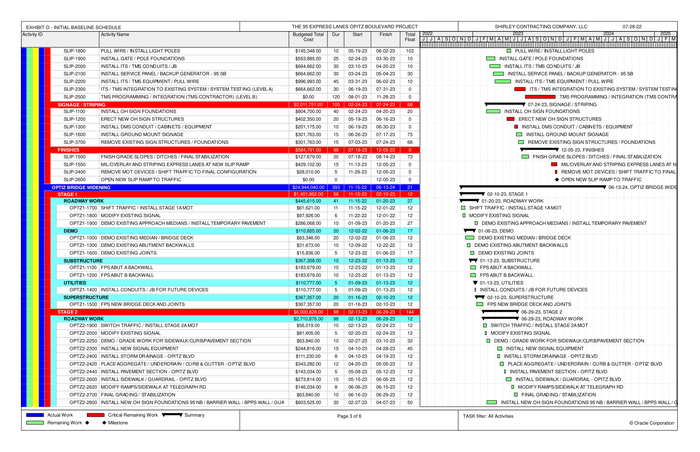
About this document: The baseline schedule for a highway ramp project in Virginia, filed as an exhibit to a public-private partnership agreement and built by the contractor in Primavera P6. Its 18 pages mix a portrait narrative, landscape tabloid Gantt pages and a monthly payment schedule. Page 10, the first Gantt page, is featured. Every party named is an organization.
Processing objective: The objective is to read what a scheduler checks first: the size of the job, the day work starts and how much slack the key milestones carry. The slip ramp opening sits on the critical path with 0 days of float, while the pedestrian facility has 367.
Demonstration fields: Project budgeted total cost, Notice to Proceed (MS-1200) start, Open New Slip Ramp (MS-1500) finish, Open New Slip Ramp total float (critical), Open Pedestrian Facility (MS-1450) total float
The document
4 of 18 pages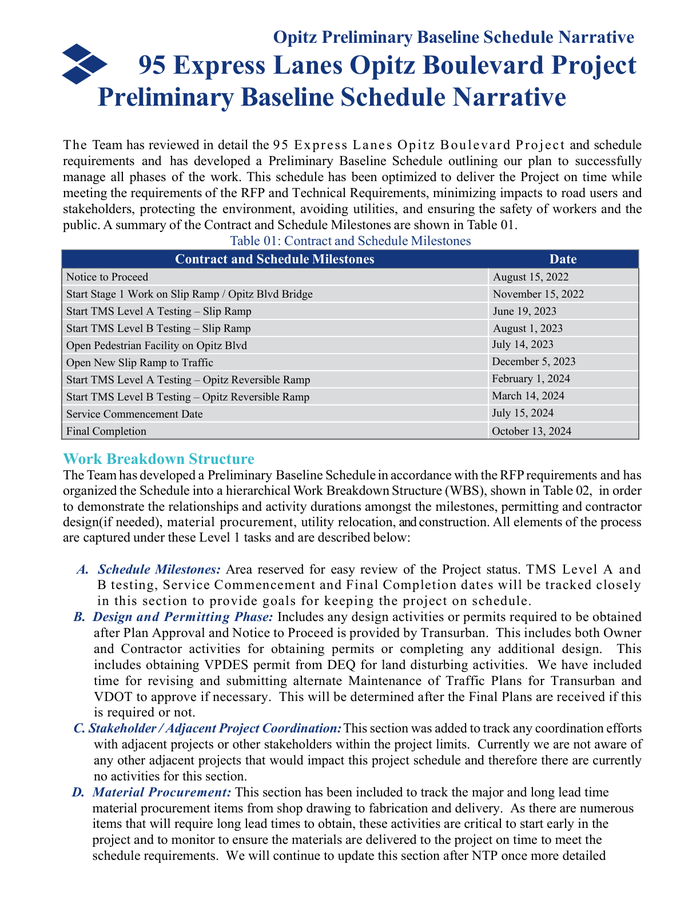 Page 2
 Page 10shown below
 Page 12
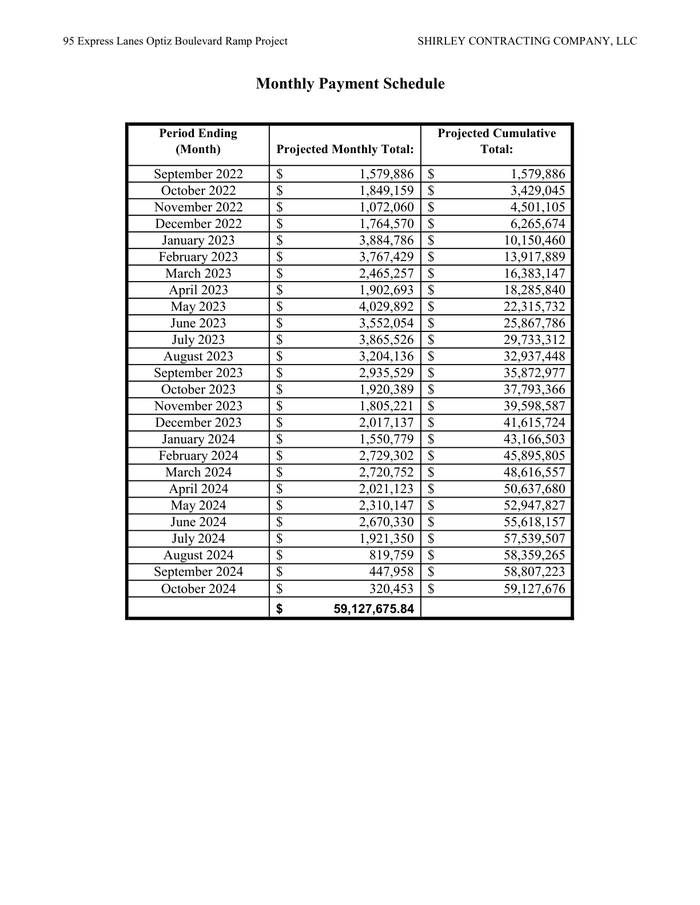 Page 17
Where each value came from
project_summary.budgeted_total_cost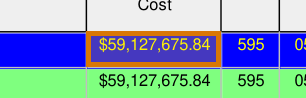
{
  "value": 59127675.84,
  "page": 10,
  "range": {
    "end": 28467,
    "start": 28453
  },
  "box": {
    "xmin": 0.41281,
    "ymin": 0.1046,
    "xmax": 0.46772,
    "ymax": 0.12671
  }
}milestones[2].start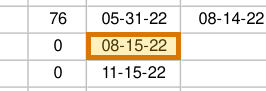
{
  "value": "08-15-22",
  "page": 10,
  "range": {
    "end": 29263,
    "start": 29255
  },
  "box": {
    "xmin": 0.4915,
    "ymin": 0.21372,
    "xmax": 0.53006,
    "ymax": 0.23092
  }
}milestones[8].finish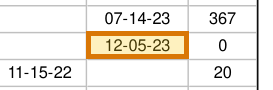
{
  "value": "12-05-23",
  "page": 10,
  "range": {
    "end": 30098,
    "start": 30090
  },
  "box": {
    "xmin": 0.53005,
    "ymin": 0.31546,
    "xmax": 0.57159,
    "ymax": 0.33263
  }
}milestones[8].total_float_days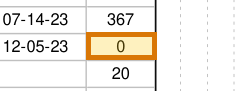
{
  "value": 0,
  "page": 10,
  "range": {
    "end": 30108,
    "start": 30107
  },
  "box": {
    "xmin": 0.57158,
    "ymin": 0.31542,
    "xmax": 0.60028,
    "ymax": 0.33257
  }
}milestones[7].total_float_days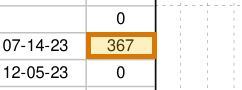
{
  "value": 367,
  "page": 10,
  "range": {
    "end": 29984,
    "start": 29981
  },
  "box": {
    "xmin": 0.57159,
    "ymin": 0.29863,
    "xmax": 0.60028,
    "ymax": 0.31546
  }
}
How to try it yourself
Everything on this page is reproducible. The sample, its schema, and the Parse and Extract API outputs are published. You can repeat the same two calls from whichever surface you already build on.
- Claude Skilldescribe the job; the agent writes it
- CLIno code at all
- MCPexpose ADE docs as an agent tool
- REST APIany language
- Pythonlandingai-ade
- TypeScriptlandingai-ade
Documents into data
Accurate
The best accuracy on the difficult documents other tools get wrong, such as messy scans, complicated tables, checkboxes and handwriting.
Auditable
Every answer cites its sources. Values come back with an audit trail (page, bounding box, character range) so a human can review them.
Agentic
Applies multi-step reasoning, and plans before it acts. Handles documents it has never seen before and adapts to variations.
API-first
Composable APIs that drop into any tech stack and can be called from anywhere. Easy to build on and embed in your pipelines and products.
Affordable
Cost-competitive rates with complete price transparency. Spend controls before you run, and every job reports its exact cost.
Enterprise-grade
Built for production and scale from day one. Fully observable and monitored, running securely in our cloud or yours.
Built for high-volume, high-throughput production
- Zero data retention
- Priority rate limits
- Enhanced support
- VPC and on-prem deployment
Available on Team and Enterprise plans. VPC and on-prem deployment require an Enterprise plan.